

Necessary cookies help make a website usable by enabling basic functions like page navigation and access to secure areas of the website. The website cannot function properly without these cookies.
Zendesk Review 2026: Is It Worth It? Features, Pricing & Alternatives
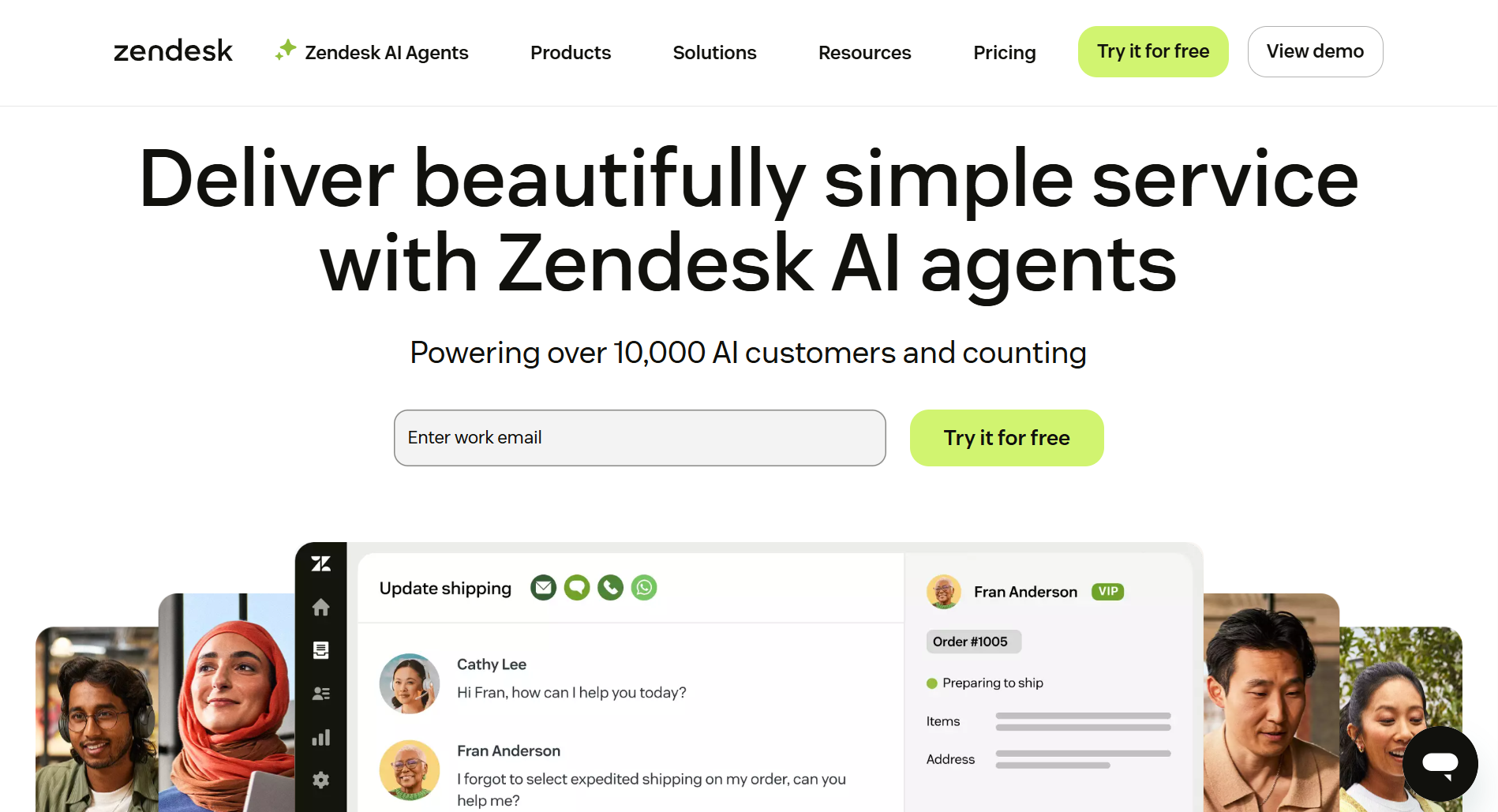
Zendesk is one of the most capable customer service platforms on the market. It's also one of the most expensive, and one of the most complex to set up. For the right team, that's a fair trade. For the wrong one, it's a very costly mistake.
In 2026, Zendesk Chat no longer exists as a standalone product. If you're evaluating Zendesk for live chat, you're buying into the full Suite — starting at $55/agent/month. That changes the calculation significantly.
This review covers what you actually get, where the pricing traps are, who it's genuinely built for, and what to consider instead.
How Zendesk Actually Handles Chat in 2026
The combination of live chat, AI agents, and Zendesk Messaging is genuinely powerful. The catch is that getting it all working together requires real setup time — this is not a tool you install and use on day one.
AI-powered Live chat software gives customers immediate access to human support. Agents can respond from the Zendesk Agent Workspace, check chat history, and review any existing support tickets tied to the conversation.
- The chat experience starts with the website widget, which can be embedded using simple widget code or enhanced with the Zendesk Chat Web SDK (part of the Web SDK) for deeper customization.
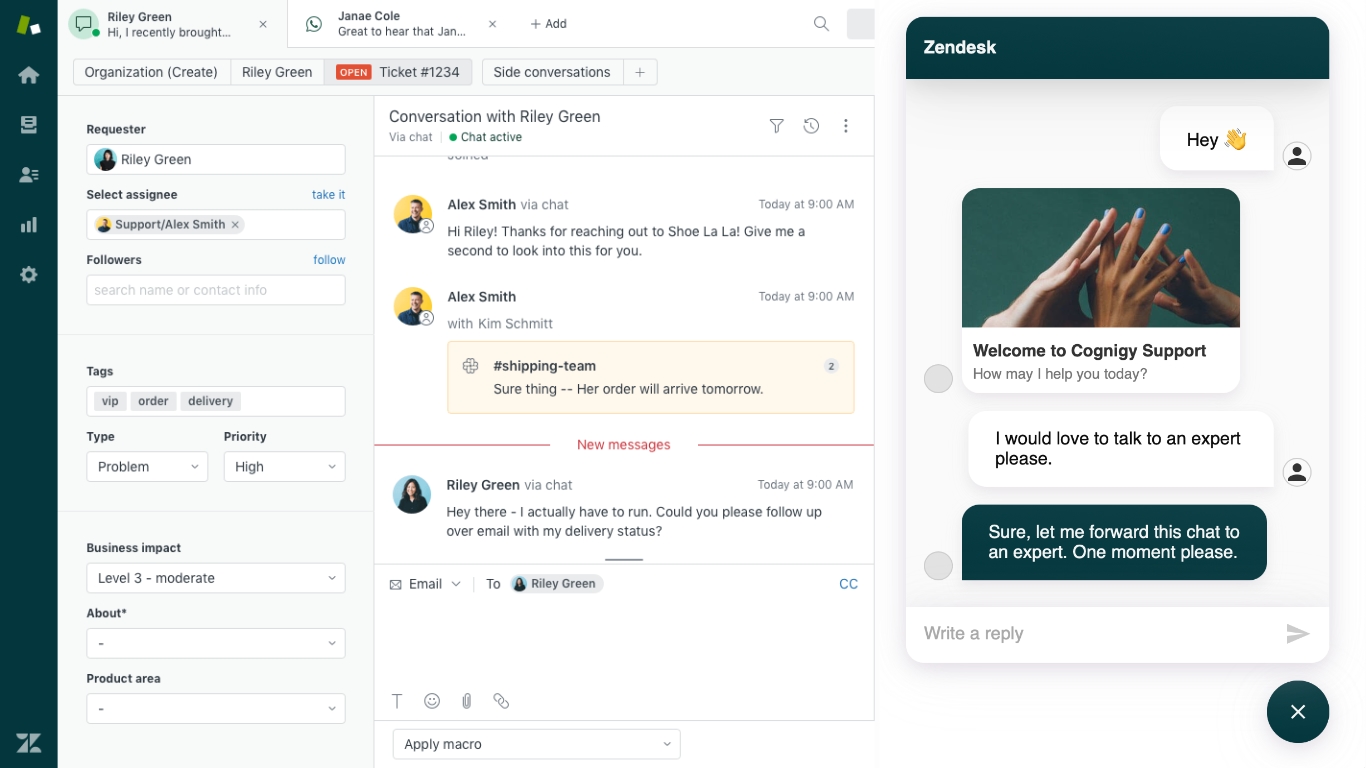
AI agents help automate repetitive questions, guide customers to relevant articles in your knowledge base, and reduce overall response time. From the agent's perspective, Zendesk brings everything into a unified interface:
- Zendesk Agent Workspace for handling all live conversations
- Agent Panel for monitoring incoming chats
- Zendesk dashboard for overall visibility
- agent reports and reporting tools for tracking team performance
- reporting and analytics to measure chat volume, chat ratings, and efficiency
Generative AI can help with more advanced workflows, and businesses can use it to craft natural replies or handle routine customer support without human involvement.
Zendesk Pricing
Pricing for Zendesk Chat is now bundled into the Zendesk Suite plans: there isn’t a “Chat-only” plan for new customers, so to use live chat, AI agents, or messaging, you’ll generally pick a Suite plan.
Zendesk pricing is per agent, which means your bill scales linearly with your team. A 10-agent team on Suite Professional costs $1,150/month before add-ons.
Here is a breakdown:
| Plan | Price (per agent/month) | What’s Included / Key Features |
|---|---|---|
Suite Team | US: $ 55 (annual) / $ 69 (monthly) | Basic live chat + messaging, 1 help center, AI agents (essential), multichannel support (email, social, voice) |
Suite Professional | US: $ 115 (annual) / $ 149 (monthly) | Adds skills-based routing, up to 5 help centers, and more robust reporting and analytics, side conversations |
Suite Enterprise | US: $ 169 (annual) / $ 219 (monthly) | Everything in Professional + sandbox environment, custom agent roles, dynamic, contextual workspaces, advanced security/compliance |
Add-Ons & Extra Costs
- Advanced AI Agents: To unlock more powerful AI-driven automation, there’s an add-on price (often around $50 / agent/month) per report.
- Per-Agent Model: Because pricing is per agent, your cost scales linearly with the size of your team. As you hire more support agents, your Zendesk bill increases accordingly.
- Regional / Volume Pricing: There are different rates in other markets. For example, in the UK via G-Cloud, the “Chat Enterprise” plan is around £54.94 / agent/month for some volume bands.
The Advanced AI add-on is worth flagging specifically. At ~$50/agent/month on top of your plan cost, it pushes a 10-agent Suite Professional team to roughly $1,650/month. If AI automation is your main reason for looking at Zendesk, that number is the one to pressure-test against alternatives.
Pros of Zendesk
Omnichannel / Multi-Channel Support
- This is where Zendesk genuinely earns its price. If your customers contact you across email, chat, WhatsApp, and phone, and you want one place to manage all of it, very few tools do this as cleanly.
Customizability & Developer Tools
- The Web SDK is powerful — but only if you have a developer. Without one, you're mostly using the defaults.
Powerful Analytics and Reporting
- The reporting on mid and high-tier plans is excellent. On the Suite Team plan, it's limited enough that you may find yourself exporting to Sheets to get the visibility you need.
Cons of Zendesk (+Alternatives for them)
Not Close to Fully Automated
- Zendesk offers AI agents and some automated workflows, but it’s not built for maximum automation. Many tasks like routing, escalations, message sequences, or multi-platform automation still require manual setup or human oversight. If your goal is to automate as much of customer support as possible, Zendesk won’t get you all the way there.
- Alternative: Amio
If you need maximum automation, Amio is the better fit.
Amio is designed for high-automation environments where support teams want:
- Automated responses across multiple channels
- AI-powered workflows that trigger actions based on customer behavior
- Human + bot hybrid handoffs
- Automated routing, tagging, and categorization
- Multichannel messaging automation (WhatsApp, Instagram, Webchat, etc.)
- Multilingual support
High Complexity / Learning Curve
- The richness of the feature set means that new users, especially non-technical teams, may struggle.
- Alternative: Tidio
Tidio was built with a user-friendly interface in mind. It offers a clean interface, quick setup, and easy chat automation without the steep learning curve.
Cost Can Escalate
- Zendesk is not cheap, and the features that make it worth the money (advanced AI, robust reporting, extra help centres) are almost all behind the higher-tier plans or add-ons. Budget $100-165/agent/month if you want the version of Zendesk that does what you actually need it to do — not the entry plan.
- Alternative: Zoho Desk

at 9$/user/month, Zoho Desk is a cheaper alternative to Zendesk with a wide range of features (ticketing, multichannel support, and AI) at lower plan costs.
Data Portability & Reporting Limits
- On basic/entry-level plans, users may not be able to export tickets or run robust reports. That can make it hard to analyze data externally, migrate away, or do deep historical analysis.
- Alternative: Help Scout

Help Scout gives you simple, export-friendly reporting out of the box. You can pull your data into CSV/Excel anytime without being forced into higher-tier plans.
Who Is Zendesk Best For?
✔ Medium-to-large support teams
Teams with multiple agents, shifting workloads, and structured workflows benefit most from the Zendesk Agent Workspace, routing rules, and reporting dashboards.
✔ Companies that need true Omnichannel support
If your customers contact you through email, chatbots, live chat, social channels, mobile apps, or phone, and you want everything in one Help Desk, Zendesk is one of the strongest options.
✔ Businesses that need advanced analytics
Suppose you rely on reporting and analytics to understand agent performance, chat ratings, response time, volume trends, and customer journey data. In that case, Zendesk’s dashboards are extremely useful (especially on higher-tier plans).
✔ Teams that want AI-powered automation
Zendesk AI agents, generative AI replies, and automated workflows help reduce manual tasks and handle routine customer emails and messaging requests at scale.
✔ Organizations that need a customizable, developer-friendly platform
With tools like the Zendesk Chat Web SDK, Zendesk API, widget code, and structured messages, technical teams can build deeply tailored support experiences.
Zendesk is probably not the right call if:
- You're a small team (under 5 agents) — the complexity and per-agent cost will work against you
- Automation is your primary goal — Zendesk handles automation but wasn't built around it; tools like Amio are
- You need a fast setup — plan for weeks, not days
- Budget is tight — the entry plan is limited enough that you'll quickly feel the ceiling
Zendesk Overview
Zendesk has evolved from a simple ticketing system into a complete customer service platform designed for fast, scalable, multi-channel support. With its combination of live chat, AI agents, Zendesk Messaging, omnichannel routing, and detailed analytics, it’s a powerful solution for teams that need structure and depth.
However, that power comes with trade-offs. Zendesk can feel complex, expensive, and sometimes overwhelming for smaller teams or businesses wanting a lightweight chat tool. Many features, including advanced reporting and AI capabilities, are locked behind higher-tier plan subscriptions.
If you need a robust Help Desk with more automation, strong developer tools, and support channels unified in one place, Zendesk is one of the most capable platforms available. But if you prefer something more streamlined, more flexible with messaging apps, or more cost-effective, alternatives may fit better.
For teams that need structure, scale, and true omnichannel support and are prepared to invest in setup and cost, Zendesk is one of the best tools available. For everyone else, the price and complexity are the product — and there are better fits.
FAQ: Zendesk Chat & Messaging (2025)
1. Is Zendesk Chat still available as a standalone product?
No. Zendesk Chat is no longer sold as a standalone tool. It is now integrated into the Zendesk Suite plans, alongside Zendesk Messaging and other support tools.
2. What’s the difference between Zendesk Chat and Zendesk Messaging?
Zendesk Chat is the original live chat system. Zendesk Messaging is the newer, more modern version that supports persistent conversations, mobile SDKs, structured messages, and AI-powered workflows.
3. Does Zendesk include AI agents or only basic chatbots?
Zendesk includes both. The platform uses AI agents for automated replies, generative AI for natural responses, and simpler flow-based bots for basic FAQs.
4. Can agents use Zendesk on mobile?
Yes. Zendesk offers a mobile app where support agents can respond to tickets and view chat history, customer actions, and conversations on the go.
5. Does Zendesk support WhatsApp, Messenger, and other messaging apps?
Yes. Zendesk supports multiple messaging channels, including WhatsApp, Facebook Messenger, Instagram, and web chat.
6. Can I customize the Zendesk chat widget?
You can modify the chat widget via Admin Center, use widget code, or build advanced experiences using the Zendesk Chat Web SDK or Zendesk API methods.
7. Does Zendesk offer reporting and analytics?
Yes. Zendesk includes detailed reporting tools, agent reports, and dashboards for tracking ticket trends, chat transcripts, chat ratings, and team performance. More advanced analytics require higher-tier plans.
8. Is Zendesk easy to use?
Zendesk is powerful but not always simple. The learning curve is real, especially for teams with no previous Help Desk experience.
9. Can I integrate Zendesk with internal tools like Slack or Microsoft Teams?
Yes. Zendesk integrates with many internal communication tools. It includes Microsoft Teams. Agents can collaborate or receive alerts outside the dashboard.
Table of Contents
Start building AI chatbots with Amio.
Book a 30-minute session where we will find out how AI bot can help you decrease call center costs, increase online conversion, and improve customer experience.
Book a demoWhat is Amio?
We understand your business on
Book a 30-min consultation session where we will discuss your support cost optimization potential, experience improvements, including our online conversion increase techniques
Request a demo