
Necessary cookies help make a website usable by enabling basic functions like page navigation and access to secure areas of the website. The website cannot function properly without these cookies.
LiveChat Pricing Explained: Which Plan is Right For You in 2026?
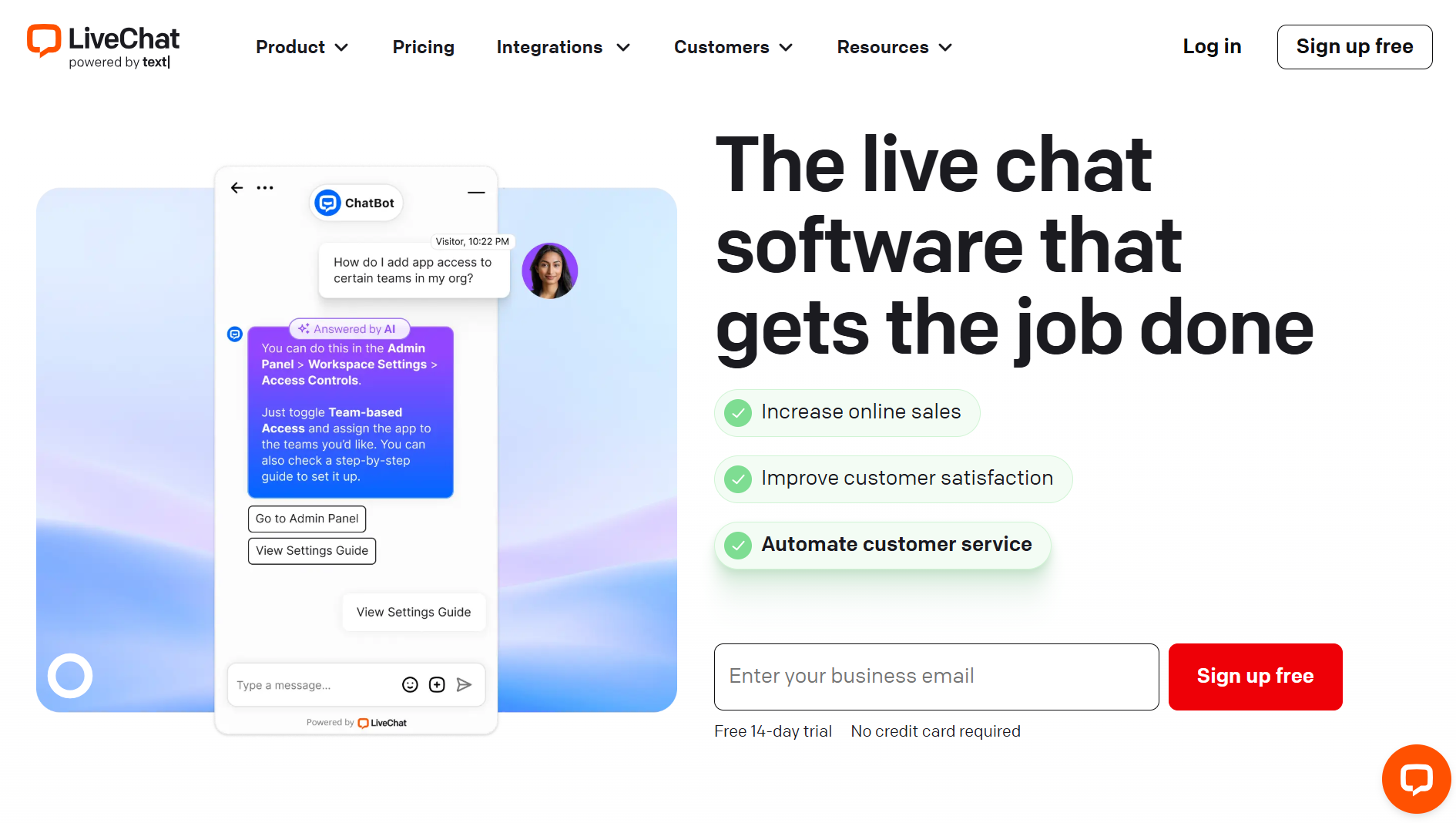
LiveChat pricing looks simple until you start doing the math. Four plans, per-agent billing, and a marketplace full of add-ons for the channels you actually need — Instagram, WhatsApp, SMS. The number on the pricing page is rarely the number you'll pay. Per-agent pricing is fine when your team is small. It gets expensive fast when it isn't.
This article breaks down what you actually get at each tier, where the hidden costs are, and which plan fits which team. If you're in a hurry, jump to [the quick comparison table].
Quick Comparison
| Feature | Starter | Team | Business | Enterprise |
|---|---|---|---|---|
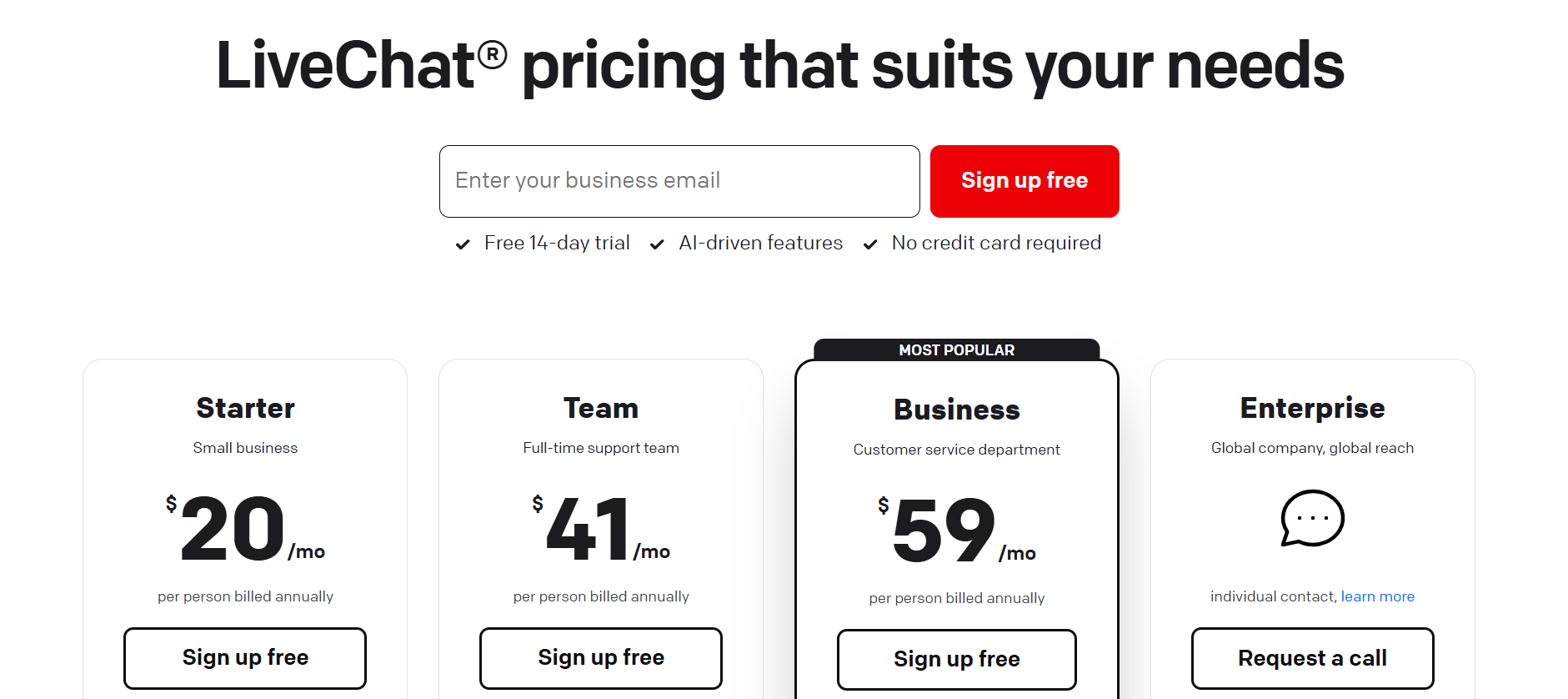
| Monthly Cost (Annual) | $20/agent | $41/agent | $59/agent | Custom |
| Monthly Cost (Monthly) | $24/agent | $49/agent | N/A | Custom |
| Users | 1 | Unlimited | Unlimited | Unlimited |
| Visitor Tracking | 100 | 400 | 1000 | Custom |
| Chat History | 60 days | Unlimited | Unlimited | Unlimited |
| Widget Customization | Basic | Full | Full | Full |
| Reporting | None | Basic | Advanced | Advanced |
| Additional Features | N/A | N/A | Work scheduler, Staffing prediction | Dedicated account manager, HIPAA compliance |
In the past, LiveChat charged you per seat as opposed to each agent, as they do now. With this change, users have seen a slight price increase, as agents can no longer share seats.
Here is a table explaining all the differences. To read the expanded explanations of each category, scroll down :)
Pricing plans overview
LiveChat offers four primary pricing tiers, each designed to cater to specific business sizes and requirements:
Starter Plan:
The Starter plan does the job if you have one agent and don't need reporting. The moment you add a second person or want to track how chats are performing, you've outgrown it.
Key features:
- Basic text intelligence
- Track up to 100 visitors: How many website visitors you can track in real time
- 1 recurring campaign: Create one campaign that automatically greets and assists customers
- 60-day chat history: Your chats will be stored in your archive for 60 days
- Basic chat customization: Only changing the theme and color of the chat widgets
- 24x7x365 chat support
- Channels: Website, Apps, Direct Chat Link, and Facebook Messenger
- 1 user: single-user plan
Pricing:
- $20/month per agent (billed annually)
- $24/month per agent (billed monthly)
Best for:
Basic plan for small teams (1-10 employees) that need the essential LiveChat functions without the more advanced features.
Team Plan:
Team is where LiveChat becomes genuinely useful. Unlimited agents, unlimited chat history, and basic reporting. Most small-to-medium support teams will land here and stay.
Key features:
- Text intelligence
- Track up to 400 visitors
- Unlimited campaigns
- One-time campaign: For announcing new products or services to customers
- Unlimited chat history
- Fully customizable chat widgets
- Basic reporting: chat statistics and a daily recap of your account activity
- Unlimited users: As many teammates as you need can join Livechat
Pricing:
41$/month per agent (Billed annually)
49$/month per agent (Billed monthly)
Best for:
Businesses that are expanding their support teams (11-50 employees), and require more customization and reporting capabilities.
Business Plan:
Business is for teams that live in LiveChat — shift scheduling, staffing predictions, advanced reporting. You'll know if you need it. If you're asking whether you do, you probably don't yet.
Key features:
- Track up to 1000 visitors
- Work scheduler: Incorporate the working hours of your team for better transitions between shifts
- Staffing predictions: Report on how many agents you will need to cover changing chat volumes
- Advanced reporting: Staffing and response times, full suite of chats
- On-demand reporting: Scheduled reports that would cover a particular aspect of your chat solution. Can be CSV, TSV, XLS, and other formats.
- Agent performance: Identify your top performers and those teammates who need improvement.
- SMS and Apple Messages for business on top of the basic channels
Pricing:
59$/month per agent (Billed annually)
Best for:
Bigger organizations (201-500 employees) with full-time support teams that need advanced analytics and staffing tools.
Enterprise Plan:
Custom pricing, dedicated support, HIPAA compliance. If you're here, you're already talking to their sales team.
Key features:
- Customize tracking limit: Tailor the number based on your needs
- Dedicated account manager: Someone who will help you through every step from setting up to advanced use
- Dedicated onboarding: Training that will teach your team how to use LiveChat effectively
- White label chat widget: You can remove the "powered by LiveChat" from your chat window
- Software engineer support: Helping you integrate LiveChat systems with your already existing software
- Single sign-on (SSO) and HIPAA compliance: Legal assistance and enhanced security assistance
Pricing:
Custom pricing based on specific needs.
- Alternative payment terms: you can pay with annual invoices, purchase orders, or cryptocurrencies
Best for:
Large enterprises (501-1000 employees) that require personalized support, enhanced security, and compliance features.
How to Actually Choose the Right Plan
Choosing the right LiveChat plan isn’t just about comparing features; it’s about how those features align with your team’s needs and growth.
Team size: If you’re running a small support operation with just one or two agents, the Starter plan will likely cover your essentials. But as soon as you start adding more agents or channels, jumping to the Team or Business plan becomes more cost-effective. Keep in mind that the cost in LiveChat is per agent, so you need to decide if the additional agent actually adds that much value.
Feature needs: Do you need detailed agent performance metrics or just basic reporting tools? Do your customers expect to chat with you via the app, Facebook Messenger, or Apple Business Messages? Your must-haves will help filter out plans that don’t support your workflow.
Budget constraints: Paying per agent can add up fast. So think about how many agent accounts you really need, and whether features like chat summaries or text enhancement are worth the price bump for your team.
Read more: How much does a chatbot cost in 2026?
Scalability: Don’t just think about now, consider 6-12 months ahead. If your business is growing, you might want to start with the Team plan even if the Starter is “enough” today, to avoid additional charges later on.
AI Features: What Each Plan Gets You
AI features are available on all plans, but the gap between Starter and Team is bigger than it looks.
Text intelligence is a key feature of LiveChat, available across all four pricing models. But how do they differ in each category?
| Feature | Starter | Team | Business | Enterprise |
|---|---|---|---|---|
| Copilot – AI Assistant | ✅ | ✅ | ✅ | ✅ |
| Reply suggestions | ✅ (3 sources) | ✅ (10 sources) | ✅ (10 sources) | ✅ (10 sources) |
| Insights | ✅ | ✅ | ✅ | ✅ |
| Tag suggestions | – | ✅ | ✅ | ✅ |
| Chat summary | – | ✅ | ✅ | ✅ |
| Text enhancement | – | – | ✅ | ✅ |
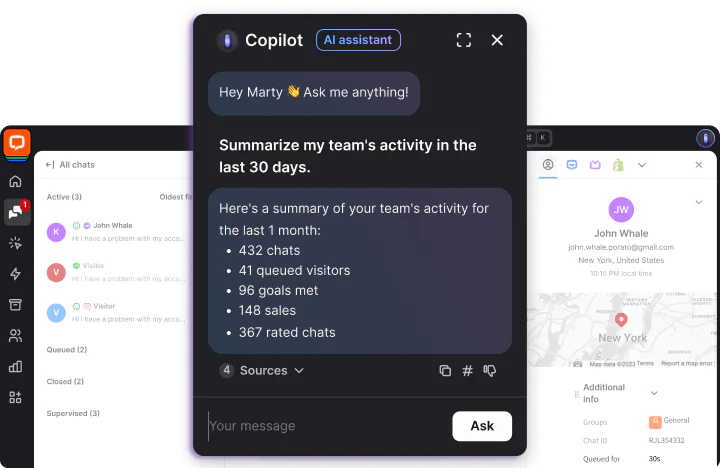
Copilot:
Your AI sidekick during chats - it helps agents handle conversations faster by offering real-time assistance, automations, and smart actions.
Reply suggestions:
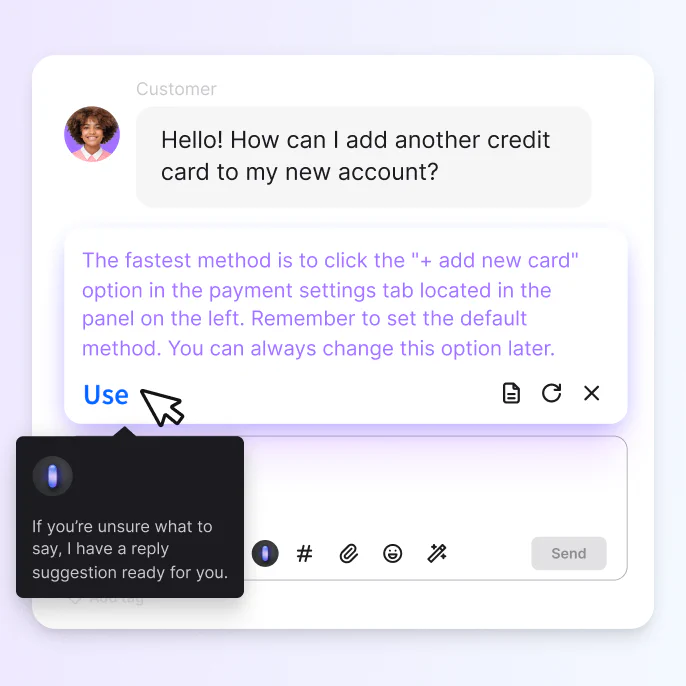
Instant AI-generated message suggestions based on the context of the customer’s question, helping agents respond quickly and consistently.
Insights:
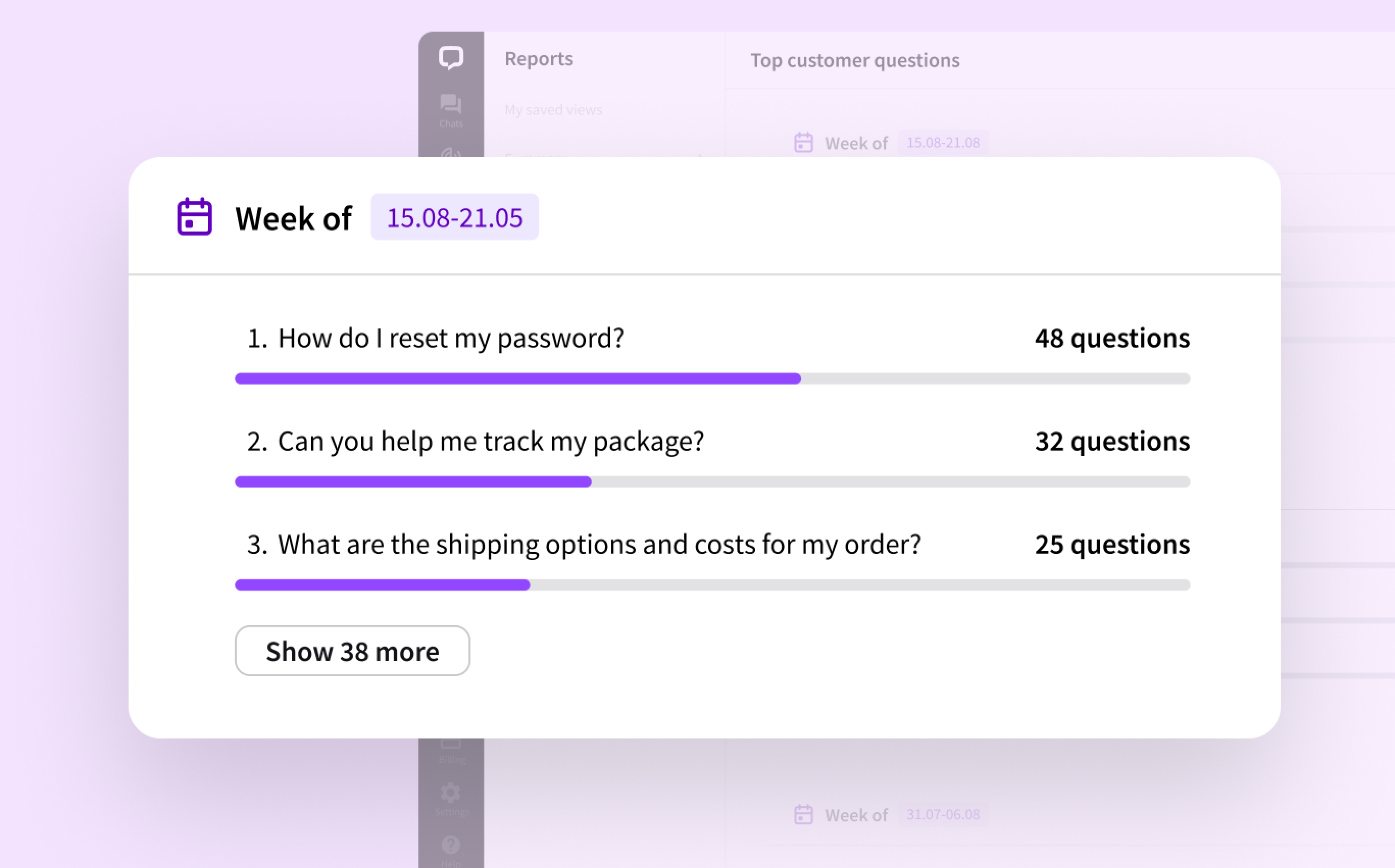
AI analyzes customer conversations and surfaces trends, common issues, and questions.
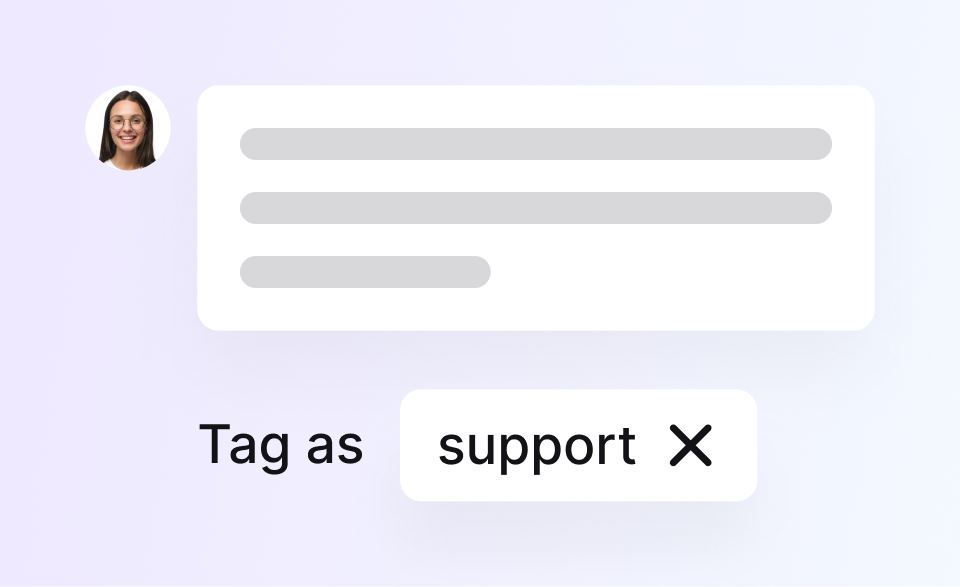
Tag Suggestions:
Automatically suggests tags for each chat based on its content and previous tagging, making it easier to categorize conversations and analyze topics over time.
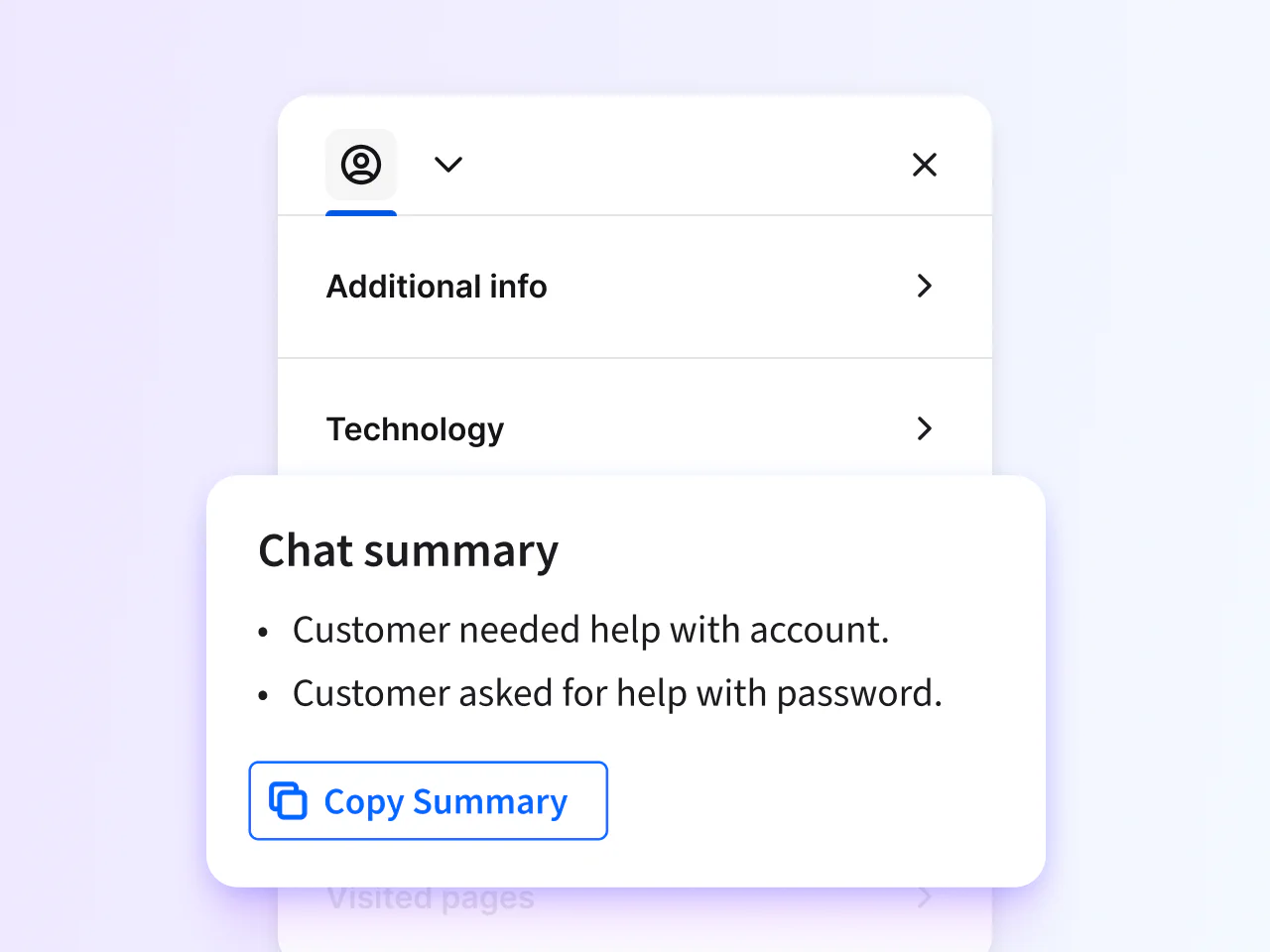
Chat summary:
Creates short, automatic summaries of conversations so agents (or managers) can quickly understand what happened without reading the whole chat.
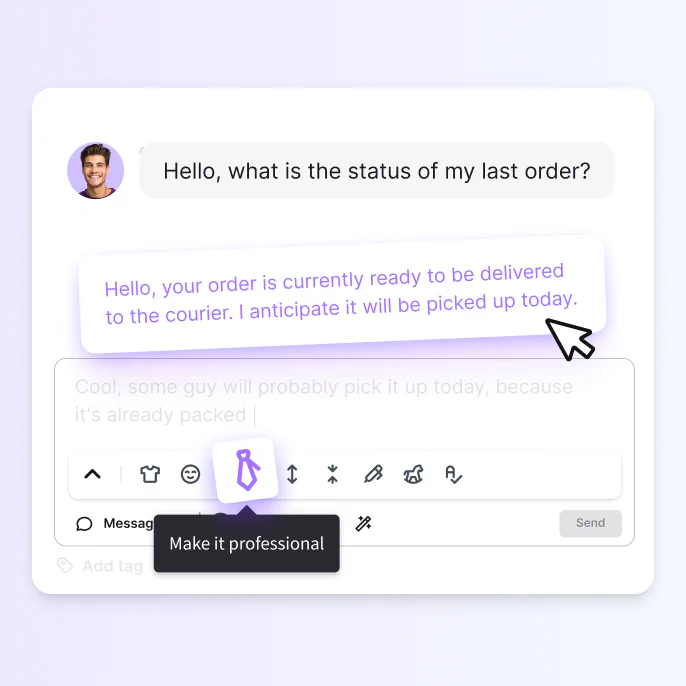
Text enhancement:
Improves grammar, tone, and clarity of your messages - perfect for making replies sound more professional and easier to read.
Which Channels Are Actually Included (And Which Cost Extra)
You can use LiveChat on your website, Facebook Messenger, and app (if applicable) with all four pricing groups. SMS and Apple Messages are only available to the Enterprise plan. Other social channels like Instagram, X (Twitter), and WhatsApp are available on the LiveChat Marketplace and must be purchased separately. The same goes for Email integration and SMS integration for the first 3 plans.
The catch: WhatsApp, Instagram, and X are not included in any plan. They're marketplace add-ons you pay for separately. If those channels matter to your business, factor that into the true cost.
| Channel | Starter | Team | Business | Enterprise |
|---|---|---|---|---|
| Website | ✅ | ✅ | ✅ | ✅ |
| Apps | ✅ | ✅ | ✅ | ✅ |
| Direct Chat Link | ✅ | ✅ | ✅ | ✅ |
| Facebook Messenger | ✅ | ✅ | ✅ | ✅ |
| Apple Messages | – | – | ✅ | ✅ |
| SMS & Email | Marketplace | Marketplace | Marketplace | Marketplace |
| Marketplace | Marketplace | Marketplace | Marketplace | |
| Instagram & X (Twitter) | Marketplace | Marketplace | Marketplace | Marketplace |
Livechat Alternatives
While LiveChat is one of the best players out there, they do not offer a free plan, and their prices are slightly higher than other software. They offer several features that will make them worth the money, as long as you don't have many agents...
So, here are a few quick alternatives:
Brevo: Cost-Effective
The former Sendinblue wasn't always a Live chat software. Initially, it was an email marketing software. Since the chat service was integrated into their brand suite, they rebranded as Brevo Conversations.
Pricing:
- Free plan available: Unlimited chats, email integration, full conversation history
- Pro: 15$/month - Adds targeted messages and chatbots, social media integrations, live visitor feed, chat ratings, and saved messages
Key features:
- Best value for money - in my humble opinion
- Omnichannel - WhatsApp, Instagram, and Facebook for a better price
- Triggers and chatbots - Automatic triggers like the ‘exit-intent’ chats (triggered when a visitor is about to leave your website). And pre-defined chatbots that can, for example, collect your visitor’s email address if your reply is delayed
- Multilingual - Chat widget translated to many languages, with language-specific massaging options
Userlike: WhatsApp Focused
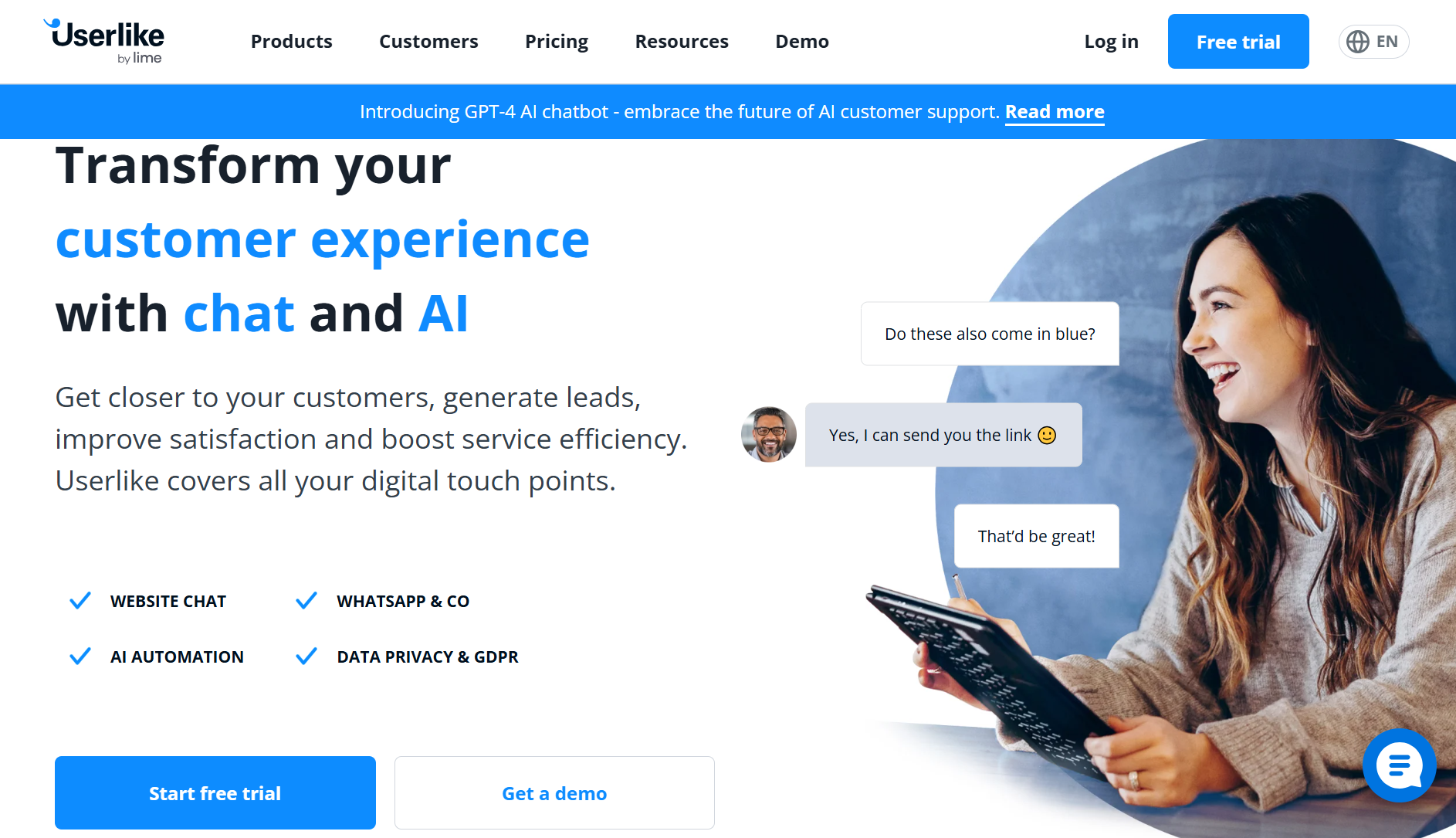
A Germany-based live chat solution with servers in the EU, which, unlike LiveChat, operates not only in the app and website but also on WhatsApp, which makes it more popular in some cases.
Pricing:
- Free plan available
- Team plan: 90$/month for 4 agents and 4 widgets
- Corporate plan: 290$/month for 10 agents, 10 widgets, and access to the AI automation hub
Key features:
- AI Automation Hub - includes an AI chatbot, a Smart FAQ feature that allows customers to find answers to their specific problems, and contact form suggestions
- Smart chat routing - Assigning chats to operators based on skills, ‘sticky chat’ which sends visitors to operators they’ve spoken to before, and also letting visitors choose between operator groups
- Multilingual
Amio: Maximum Automation
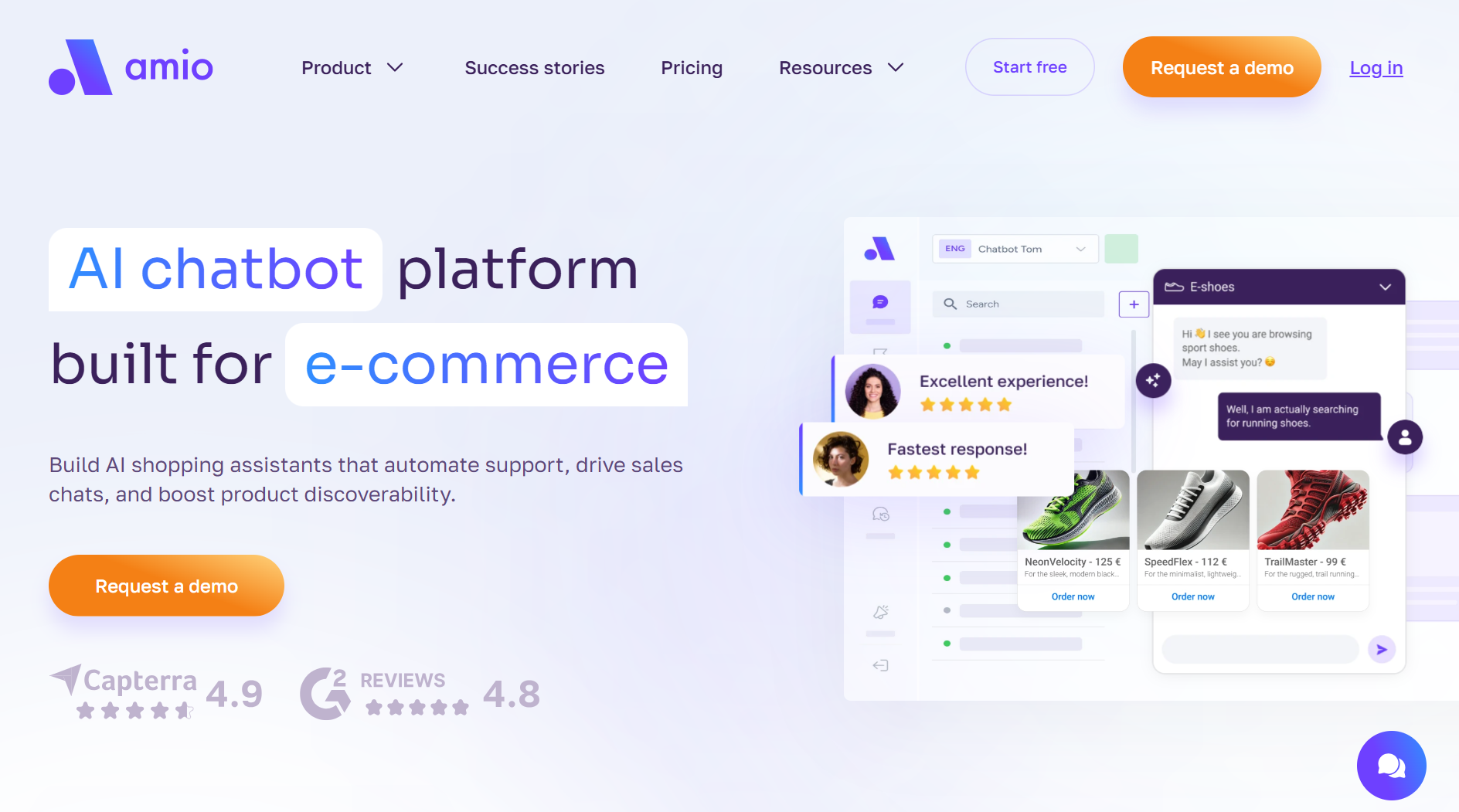
If the reason you're looking at alternatives is automation — not just chat — Amio is the comparison that matters. There are a few benefits to using chatbots, but perhaps the most important one would be achieving maximum automation. You can automate more than 90% of your common questions with 24/7 customer engagement, while reducing costs by more than 30%.
Read more: Chatbot vs. LiveChat in 2026
Pricing:
- Request a demo, and/or start with a 14-day free trial
- Starting from 150 EUR/month - 400 automated messages, chatbot, conversational designer, Analytics
Key features:
- Accessing order details for the checkout process, order tracking, and refunds
- Omnichannel - Working on webchat, mobile in-app chat, and messaging chat apps like WhatsApp, Messenger, Telegram, Viber, and Google RCS
- Customizable widgets - set your tone of voice
- Real-time and top-down analytics - give you a clear view of your chatbot’s overall impact from big-picture performance to insights from individual conversion rates
Conclusion - Is LiveChat Worth It?
LiveChat is the right call if you want dependable chat with good AI support and you're comfortable paying per agent. It's the wrong call if your team is growing fast or if WhatsApp is your main support channel — the costs compound quickly.
If you’re looking for a straightforward, user-friendly platform with powerful AI and reporting tools, LiveChat is worth the investment. But if budget or heavy automation is your top priority, exploring alternatives might be a smarter move.
Make sure to choose based on your business goals and budget. Start small with a cost-effective option and scale from there. And feel free to reach out if you need help at any point. ✌️
FAQ
Does LiveChat offer a free plan? No, LiveChat does not currently offer a free plan. All plans are paid and priced per agent.
How is pricing calculated in LiveChat? You pay per agent per month. Prices vary depending on the plan and whether you choose monthly or annual billing.
Can I use LiveChat on social media platforms like Instagram or WhatsApp? Yes, but only via the LiveChat Marketplace. Social channels like Instagram, WhatsApp, and X (Twitter) require separate add-ons.
How does LiveChat’s AI (Text Intelligence) help my support team? Features like reply suggestions, Copilot, and chat summaries reduce response time and improve the consistency and quality of your support.
Can I integrate LiveChat with my existing CRM or Helpdesk? Yes. LiveChat integrates with tools like HubSpot, Salesforce, and many others via native integrations and third-party apps.
Table of Contents
Start building AI chatbots with Amio.
Book a 30-minute session where we will find out how AI bot can help you decrease call center costs, increase online conversion, and improve customer experience.
Book a demoWhat is Amio?
We understand your business on
Book a 30-min consultation session where we will discuss your support cost optimization potential, experience improvements, including our online conversion increase techniques
Request a demo