
Create a WhatsApp Chatbot in 5 Easy Steps [2026, No-Code]
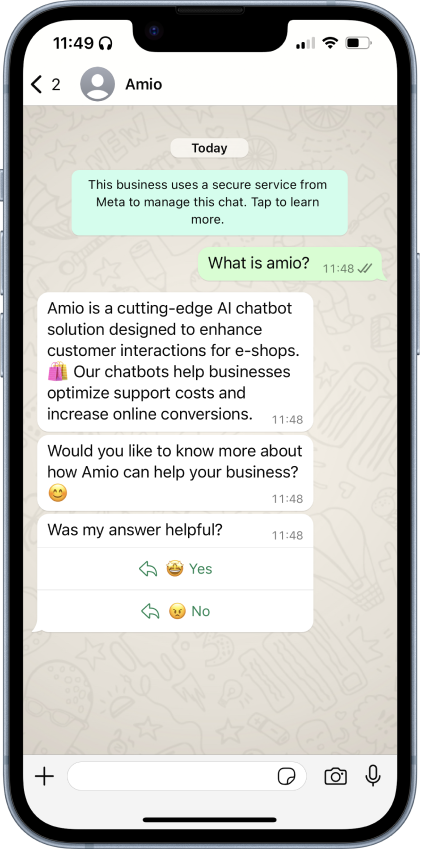
WhatsApp is the most popular messaging app in many countries, which makes it a great tool for businesses. With a WhatsApp chatbot, companies can answer customer questions, send notifications, or even help with shopping.
In this article, I will show you how to set up a WhatsApp AI chatbot in 5 simple steps.
But first things first — let’s quickly learn what makes WhatsApp and AI chatbots unique and how they work well together.
Understanding WhatsApp
WhatsApp isn’t just a messaging app for friends and family; it can also be used by businesses to connect directly with their customers through WhatsApp Business.
WhatsApp Business
Companies can create WhatsApp channels to interact with their customers. They can also apply for a verified badge through Facebook Business Manager, showing customers they are interacting with a legitimate, trusted account.

The WhatsApp Business API enables third parties to integrate business tools like helpdesks and CRM systems, while also allowing companies to automate customer service with chatbots.
Receive Messages
Similar to regular users, companies can receive messages on WhatsApp in various formats, including:
- Text
- Images and Videos
- Documents and Files
Small companies can use the WhatsApp Business App to manage incoming messages. Larger companies that rely on customer support tools can link their WhatsApp channel to the helpdesk if direct integration is available.
Send Messages
WhatsApp Business API allows businesses to send back a wider range of message types:
- Text, Image, Video, and Files
- Buttons: Interactive buttons that customers can click to respond or take action, supporting rule-based chatbot behavior.
- Quick Reply Buttons: Pre-set responses that customers can tap for a quick reply.
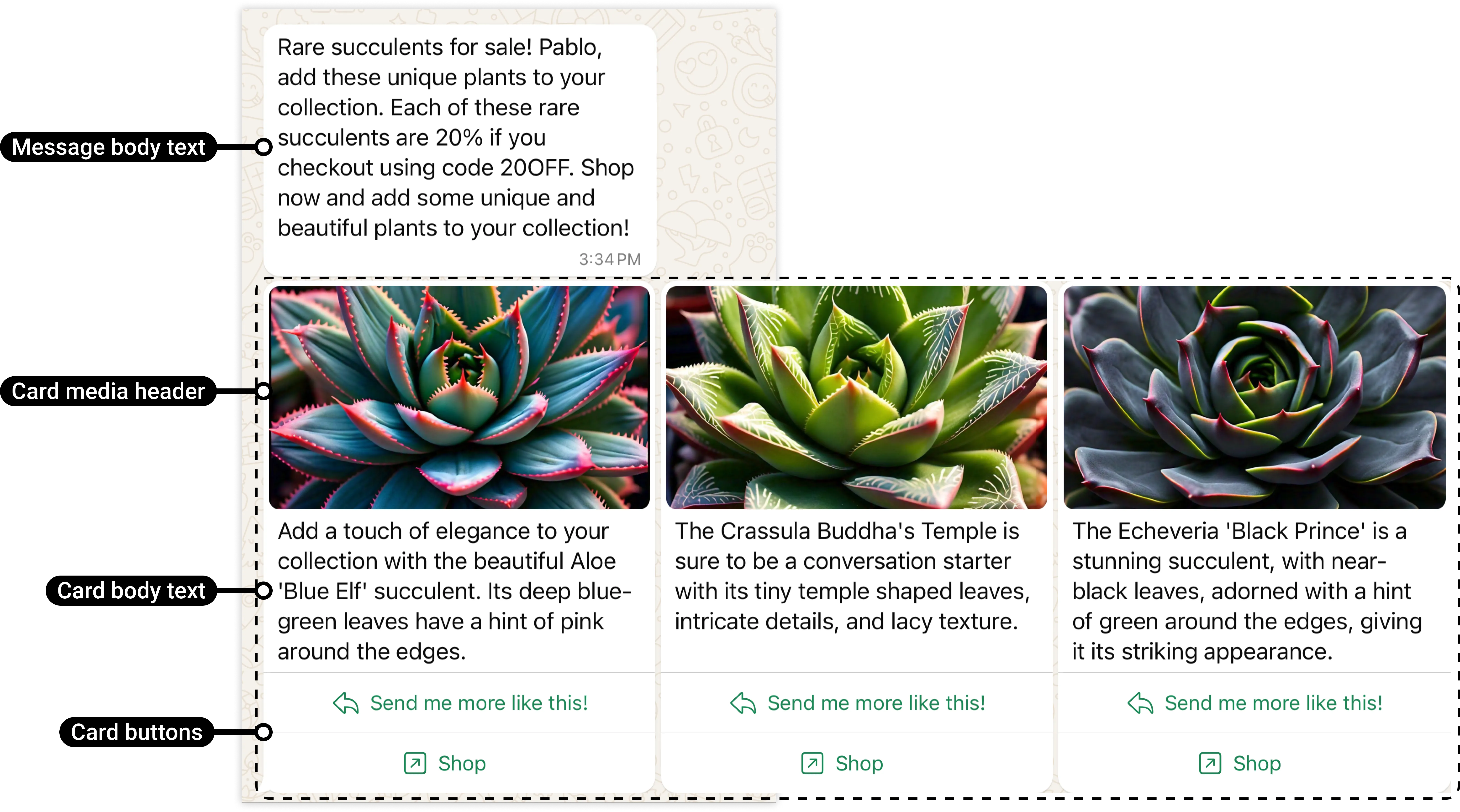
- Structured Messages: A combination of an image, title, text, and buttons.
- Carousels: A scrollable series of structured messages.
- Location
How to Engage with Customers
There are two ways how your customers get in touch with you:
- Promote the Channel: Let customers know that your business is available on WhatsApp. Use a “click-to-chat” icon or WhatsApp link on your website, share the WhatsApp link on social media, and include it in email signatures or newsletters. — Your customers initiate the conversation.


- Outreach with Template Messages: If you have customers’ phone numbers, you can send direct messages to them. These messages must follow WhatsApp’s policy and are a paid feature (see WhatsApp pricing). All template messages need to be pre-approved by Meta.
For more information on engaging customers on WhatsApp, explore the WhatsApp entry points guide.
WhatsApp Pricing
WhatsApp Business uses a conversation-based pricing model where charges are applied per 24-hour conversation window between your business and a customer.
Conversation Categories:
- Marketing Conversations: Initiated to promote your business, such as sending offers or product announcements.
- Utility Conversations: Facilitate transactions, like providing order confirmations or delivery updates.
- Authentication Conversations: Used for user verification, such as sending one-time passcodes.
- Service Conversations: Respond to customer inquiries and provide support.
See WhatsApp pricing for more information.
Understanding AI Chatbots
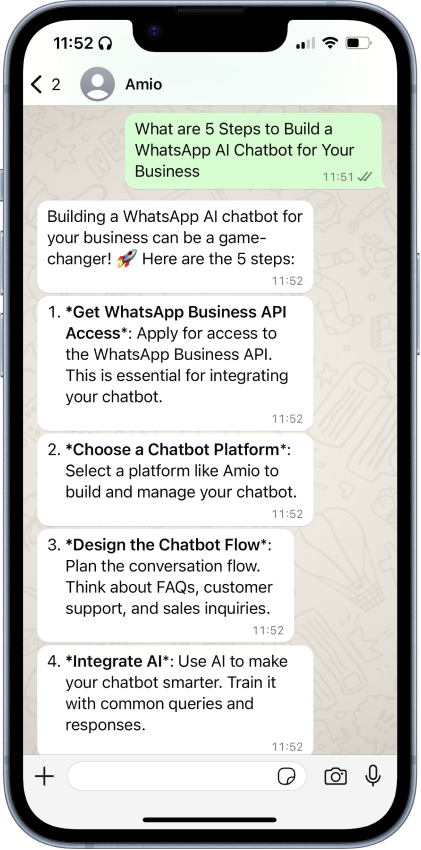
AI-powered chatbot is automated software designed to interact with customers — similar to how you know it from ChatGPT. Unlike rule-based chatbots, It understands human language and responds in a natural, conversational way.
WhatsApp AI chatbots use two main technologies to make this possible:
- Natural Language Processing (NLP): NLP enables the chatbot to understand the intent behind a customer’s message and provide a relevant, predefined answer.
- Artificial Intelligence (AI): The chatbot uses the conversation’s context, a knowledge base (either pre-trained data, your documents, or both together), and specific instructions you provide to determine what to say and how to say it.
WhatsApp AI Chatbot Use Cases
Chatbots can be used in various scenarios:
- Customer Service: Handle customer queries and provide prompt, relevant answers.
- Sales Assistance: With access to your product catalog, the AI chatbot can act as a virtual shopping assistant, guiding customers through their purchase options.
- Lead Generation: Gather information about potential customers, collect contact details, user inputs, and pass them to your sales team for follow-up.
- Feedback Collection: Request user feedback on the platform they use every day, then pass the data to your system for analysis and improvement.
- Notifications: Send important updates, such as package delivery notifications, service expirations, or reminders for upcoming visits.
Benefits of Using WhatsApp AI Chatbots
- 24/7 Availability: Chatbots are always on, allowing customers to get assistance at any time.
- Scalability: AI chatbots can handle multiple conversations simultaneously.
- Faster Response Times: Instant responses from chatbots mean customers don’t have to wait.
- Cost Efficiency: By automating routine tasks, chatbots reduce the need for extra customer service staff.
- Consistency in Responses: Chatbots deliver clear, standardized answers, ensuring all customers receive accurate information.
In general, chatbots bring benefits in three main areas: cost optimization, customer satisfaction, and conversion growth. For a deeper dive into these benefits and more, check out our article Chatbot: Benefits and Use Cases for a detailed look at how chatbots can add value to your business.
5 Steps to Build a WhatsApp Chatbot
Now that you know the basics and can decide if a WhatsApp AI chatbot fits your business, let’s dive into how to build one for you.
Start the stopwatch, and let’s get going! ⏱️
1. Set up Facebook Business Manager
If your business doesn’t already have a Facebook Business Manager account, you’ll need to create one and complete the business verification process.
The next step is to register as a Meta developer—no coding is required! This registration is necessary to obtain your WhatsApp ID.
The setup process is straightforward, but if you encounter any issues, feel free to contact us. We’ve registered hundreds of accounts, know all the common roadblocks, and can help you overcome them. 😉
2. Register WhatsApp Account
Each WhatsApp account is tied to a unique phone number, so you'll need one that isn't already linked to another WhatsApp account. It’s a good idea to use your support phone number for this purpose. This number can also be a landline — check out WhatsApp eligible phone numbers.
Create a new Facebook App
- Create a new Facebook Business App in Business Manager
- Navigate to the app dashboard and create a new Whats App integration
Verify your phone number
- In Step 5, click on "Add phone number"
- Fill in the details (Display Name will be shown to your customers as your WhatsApp account name)
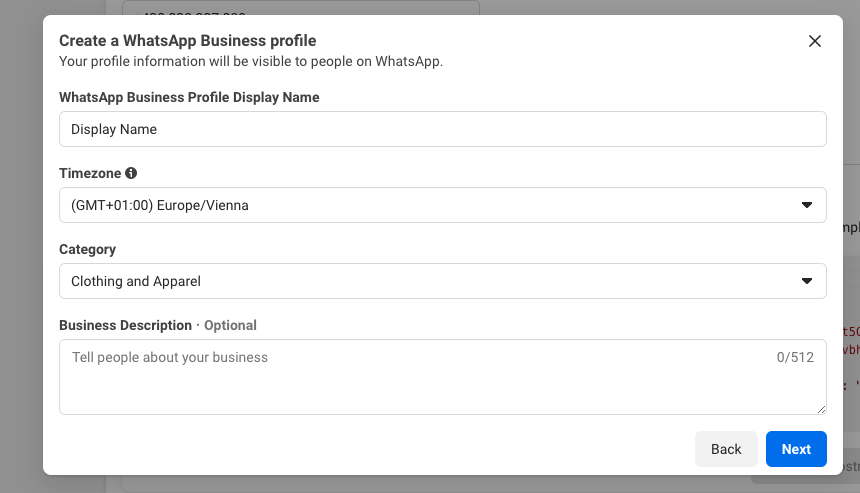
- Verify your phone number under Step 1
- Copy the Facebook Business WhatsApp ID and Phone Number ID — save it for later.
Setup Facebook App
In this step, you’ll need to configure a few settings in your newly created Facebook app and gather some data for the next steps. Follow our step-by-step guide to ensure everything is set up correctly, and save these attributes for later use:
- generated app token
- app secret
- WhatsApp Business ID
- Phone number ID
- Phone number
Now, with access to the WhatsApp Business API, you can use a third-party chatbot builder to create and customize your chatbot.
3. Select a No-Code Chatbot Platform
A no-code chatbot platform lets you create an AI chatbot without needing to directly implement the WhatsApp Business API.
Choosing the right chatbot solution is essential for building an effective WhatsApp AI chatbot. A no-code platform allows you to set up chatbot flows without needing technical skills. However, if you need customization — like connecting your backend to gather or store information — look for platforms that also offer coding options.
Before you get started, check if the platform offers all the features your business needs:
- AI Capabilities: Look for platforms with the latest AI integrations, like GPT-4o.
- Notifications: If you need to send outbound messages on WhatsApp, confirm that the platform supports it.
- Help Desk Integration: If you plan to hand off conversations to human agents, make sure the platform integrates with your existing help desk.
Every business has its unique requirements, so be thorough in evaluating platform options. For a detailed list of recommended AI chatbot platforms, check out our article on the best AI chatbots for 2026.
4. Set up Amio AI Chatbot
We pick Amio as it checks all the boxes: AI capabilities, notifications, help desk integration, no-code chatbot flows, and more — the essentials for any serious WhatsApp chatbot. Plus, we know Amio inside and out. In fact, it’s kind of our bread and butter (yes, we actually make a living from this 🤑).
We’re not just recommending it because we’re biased…well, maybe a little. But if you’re looking for a solid, feature-packed platform, Amio won’t disappoint.
Create Amio Account
Sign up at automate.amio.io. You’ll get a 14-day free trial to test out the chatbot and see what it can do.
Create AI chatbot from Template
Use a predefined template bot to set up a fully functional AI chatbot in no time.

You can customize it later with options like an AI knowledge base, predefined answers, live agent handoff for complex queries, and more. For a complete guide on setting up conversational flows and a full-featured chatbot, check out our step-by-step instructions.
But for now, let’s move on and connect your new chatbot with your WhatsApp account.
5. Connect WhatsApp Channel
In your Amio account, go to Settings > Channels and click Add New Channel. Select WhatsApp and enter your new WhatsApp phone number.
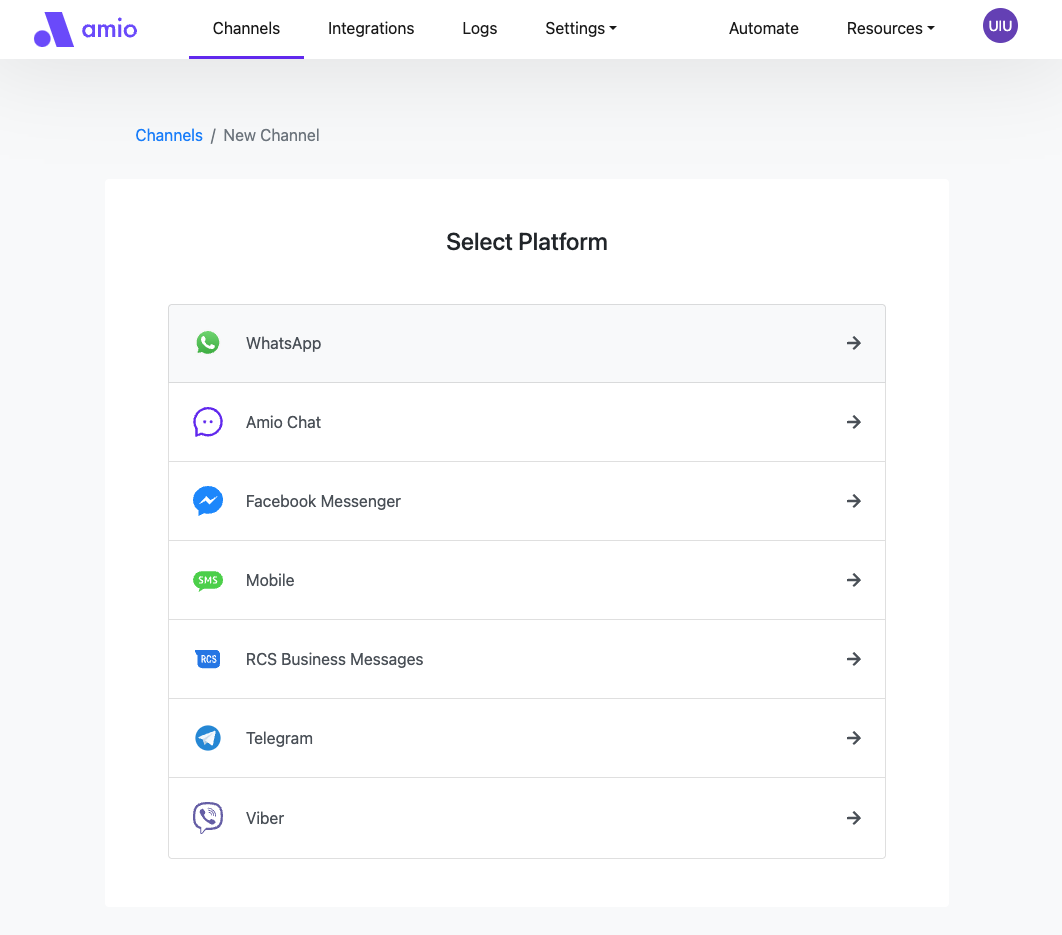
Next, the Amio team will prompt you to share the Facebook App details you collected earlier. This will complete the connection of your WhatsApp channel to Amio.
Now you’re all set to test your new WhatsApp chatbot. 🚀
Launch Your WhatsApp Chatbot
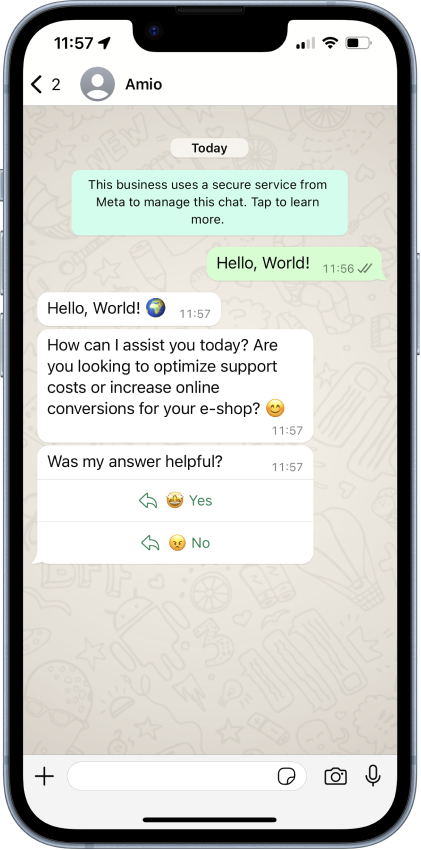
Now that everything is set up, it’s time to send your first "Hello world" message! Open WhatsApp on your phone, find the business phone number you registered, and start a conversation with your new chatbot. You should be able to both receive messages and respond to them.
Test Before Launch
Before launching your WhatsApp chatbot to production, run thorough tests. Here are some key areas to focus on during testing:
- Technical Aspects:
- Verify that the chatbot receives messages from both new and existing accounts.
- Ensure the chatbot responds promptly and consistently.
- If you’ve connected the chatbot to a help desk, check that handoffs work and that conversations are transferred correctly.
- Message Types:
- Test different message types such as text, images, videos, and any interactive buttons or carousels you’ve set up.
- Confirm that all message types are displayed correctly and that users can interact with buttons or prompts without issues.
- AI Chatbot Accuracy:
- Check that the AI chatbot understands and answers various questions.
- Review the accuracy of responses, ensuring they match your brand tone and follow your copywriting guidelines.
- Test responses to frequently asked questions to ensure clarity and relevance.
- User Experience:
- Involve your team in the testing process to get a variety of perspectives.
- Ask team members to simulate different customer scenarios and provide feedback on the chatbot’s ease of use, helpfulness, and response quality.
Gathering as much feedback as possible will help you catch any potential issues early and fine-tune your chatbot for the best possible customer experience.
Launch and Promote
If your customers aren’t already in the habit of messaging you on WhatsApp, consider promoting your new channel. Here are some effective ways to encourage customers to reach out:
- Add a WhatsApp Button on Your Website
Place a “Chat with Us on WhatsApp” button on key pages of your website. The contact page is a great place to start. - Include in Emails
Update the footer of your transactional and promotional emails to promote your WhatsApp channel. - Add WhatsApp Contact to Google Business Profile
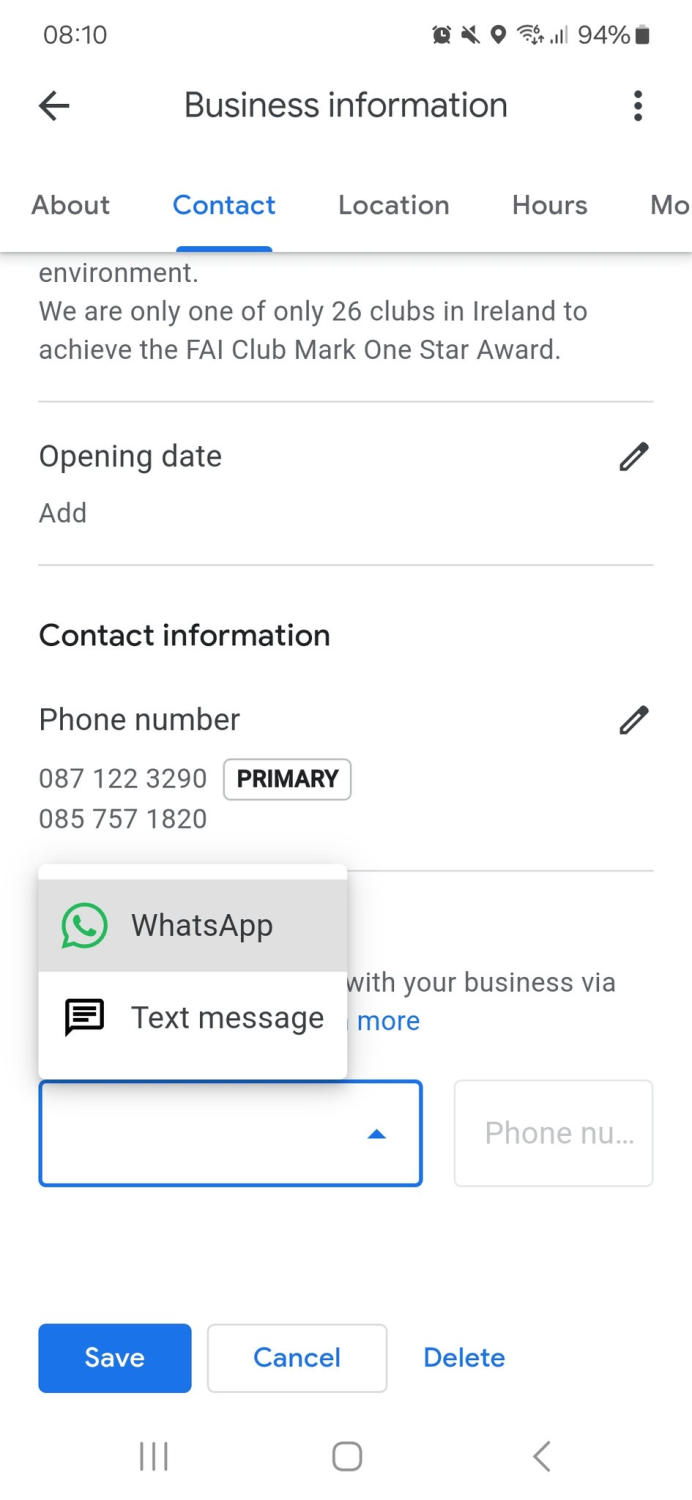
For businesses with a Google Business Profile, including your WhatsApp number as a contact method can be especially useful if customers often find you through Google Search or Maps (Google is currently testing this new feature, so it may only be available to selected businesses.).
- In-Store Promotions
If you have a physical store, display a QR code that links directly to your WhatsApp chat. This makes it simple for in-store customers to message you without searching for your contact information. - Promote on Social Media
Announce your new WhatsApp channel across your social media platforms. - Integrate with Paid Ads
Run “Click-to-WhatsApp” ads on platforms like Facebook and Instagram. These ads allow users to click and start conversing with your business on WhatsApp.
Promoting your WhatsApp channel will help drive customer engagement and establish WhatsApp as a reliable and convenient way to connect with your business.
Monitor Chatbot Performance
To ensure your WhatsApp chatbot is effective and provides a good customer experience, monitor its performance regularly. Here are some key performance indicators (KPIs) to focus on:
- Number of Customer Interactions
Track the total number of interactions your chatbot handles on WhatsApp. This helps you understand customer engagement and identify peak times when users are more likely to reach out. - Automation Rate
The automation rate shows the percentage of interactions handled correctly by the chatbot. A high automation rate indicates that the bot successfully resolves customer inquiries, but check if it’s not at the expense of user satisfaction. - User Satisfaction Score
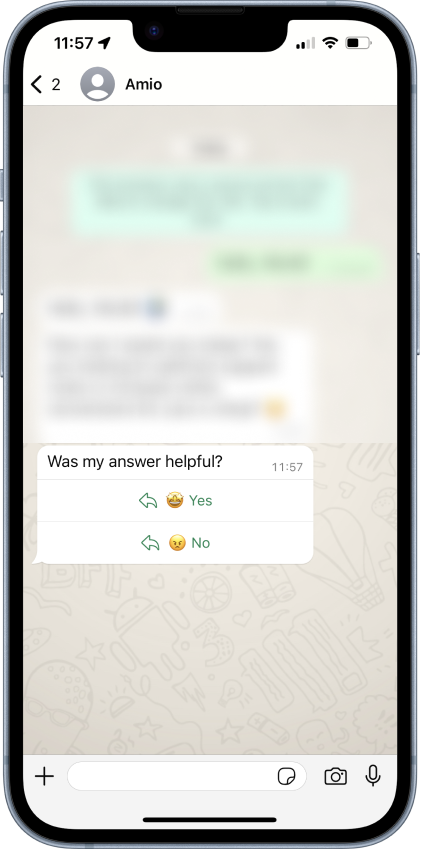
Use simple feedback mechanisms—such as quick rating prompts after interactions—to measure user satisfaction. This KPI provides insights into how helpful and accurate the bot’s responses are.
- Average Response Time
Measure the average time customers receive replies, either from the bot alone or from a live agent. Tracking an overall average helps identify how quickly customers are assisted and highlights areas for potential improvement. - Escalation Rate to Human Agents
Track how often the chatbot transfers conversations to human agents.
Improve Your Chatbot with Customer Insights
To refine the chatbot’s performance, analyze user interactions systematically, starting from a broader view and then drilling down:
- Identify Patterns and Pain Points
Look for recurring issues or patterns where users struggle most. Common patterns might include repeated user queries, frequent misunderstandings by the bot, or high escalation rates for certain queries. - Review Specific Interactions
Once you identify a general area of concern, review individual interactions to understand specific problems. Look for instances where the chatbot’s responses were unclear, unhelpful, or didn’t meet user expectations. - Adjust and Optimize
Based on your findings, update the chatbot’s responses, refine AI instructions, and add any missing information to the knowledge base.
By regularly monitoring these KPIs and diving into user interactions, you can identify opportunities for improvement and ensure that your WhatsApp chatbot is a valuable tool for your customers.
For more insights on building an effective chatbot, read our article on the "Top 10 Chatbot Mistakes to Fix for Better Customer Interactions".
Conclusion
Setting up a WhatsApp AI chatbot may seem complex, but we’ve broken down the process to show how simple it can be. By following these steps, you’re well on your way to building and launching a powerful chatbot for your business.
If you need any support along the way, don’t hesitate to reach out—We’re here to help, no matter which chatbot solution you choose. ✌️
Book a 30-minute session where we will find out how AI bot can help you decrease call center costs, increase online conversion, and improve customer experience.
Book a demo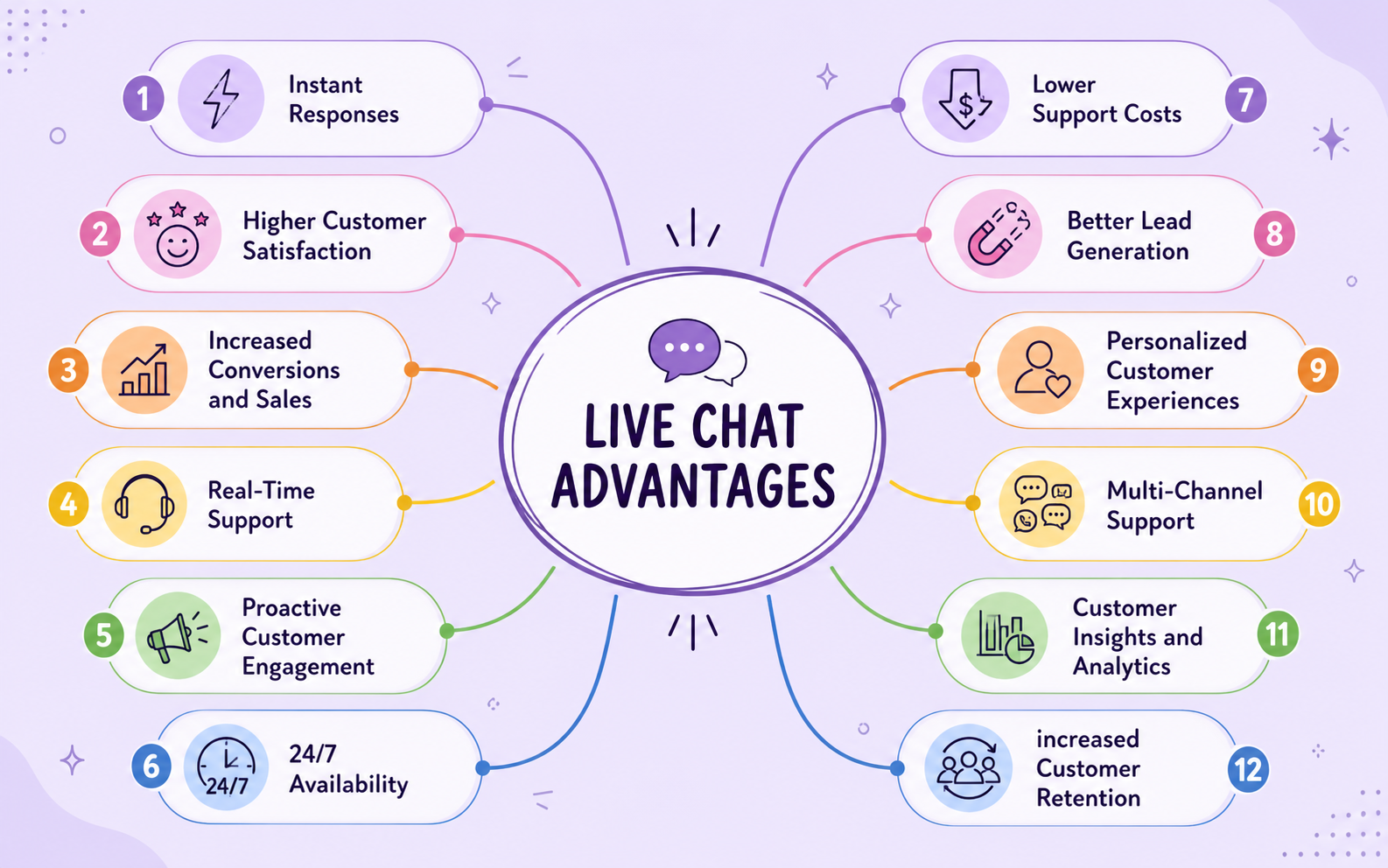


We understand your business on
Book a 30-min consultation session where we will discuss your support cost optimization potential, experience improvements, including our online conversion increase techniques
Request a demo