
Necessary cookies help make a website usable by enabling basic functions like page navigation and access to secure areas of the website. The website cannot function properly without these cookies.
Customer Service Automation for E-Shops in 2026 - Tools & Tips
Still Answering the Same Questions Over and Over?
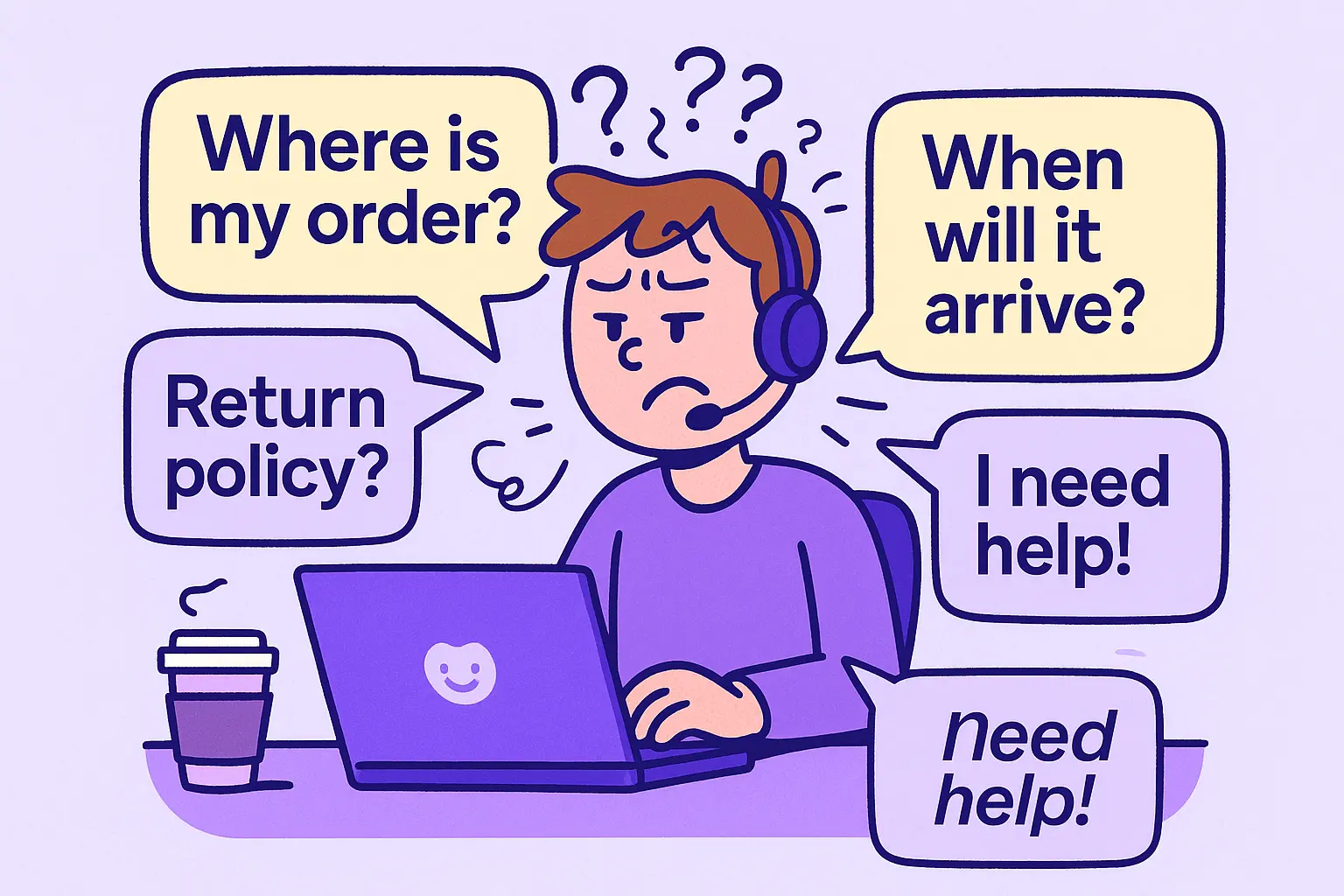
Does your customer service inbox feel like Groundhog Day? Every morning it starts again - the same questions, the same replies, the same copy-paste routine. Most customer inquiries aren’t complicated. They’re just constant. Status updates, return instructions, size charts, shipping zones… again and again and again.
But here’s the kicker: the vast majority of these requests can be solved with smart customer service automation powered by modern AI tools that handle repetitive questions without losing the human touch. In fact, companies that embraced automation saw wait times drop from 45 minutes to 56 seconds, and customer satisfaction jumped from 51% to 83%. (ServiceNow, 2024)
And the best part? Getting started is easier than you think, and this article will show you how. You’ll learn:
- What to automate (and what absolutely not to)
- Which automation software actually helps (and which just create more chaos)
- How to make automation feel like magic, not like you fired your team and hired a robot
Let’s dive in. Your future support team (and your budget) will thank you.
What Is Customer Service Automation?
Customer service automation means using smart tools, powered by artificial intelligence and machine learning, to handle repetitive questions and workflows that slow your team down.
But, let’s get one thing straight. Customer service automation doesn’t mean replacing your team with a robot in a headset. It means using smart AI tools to handle the repetitive, simple stuff that eats up time and energy.
Key Components of Customer Service Automation
It includes things like:
- 💬 Automated responses to questions your team could answer in their sleep (“How do I return this?” “What are your business hours?”)
- 🔁 Ticket routing that sends issues to the right human before anyone even says “help”
- 📚 Self-service tools like knowledge bases that give customers answers without opening a ticket
- 🤖 And yes, AI-powered chatbots that handle repetitive requests like pros (minus the coffee breaks)
In short, it’s the automation toolkit that makes your customer support process smoother, faster, and less painful for everyone, even at 2 am on a Tuesday.
That’s it. Simple. Smart. Not scary.
Why Smart E-Shops Automate Support
Let’s face it. Customer expectations aren’t what they used to be. Modern customers don't want to wait. They expect instant answers and support that works even outside business hours. But most customer service teams just don’t scale like that.
That's exactly where automated customer service steps in, not as a cold-hearted robot, but as a well-trained assistant that handles the small stuff fast.
Meeting Modern Customer Expectations with AI
When repetitive tasks get automated, magic happens:
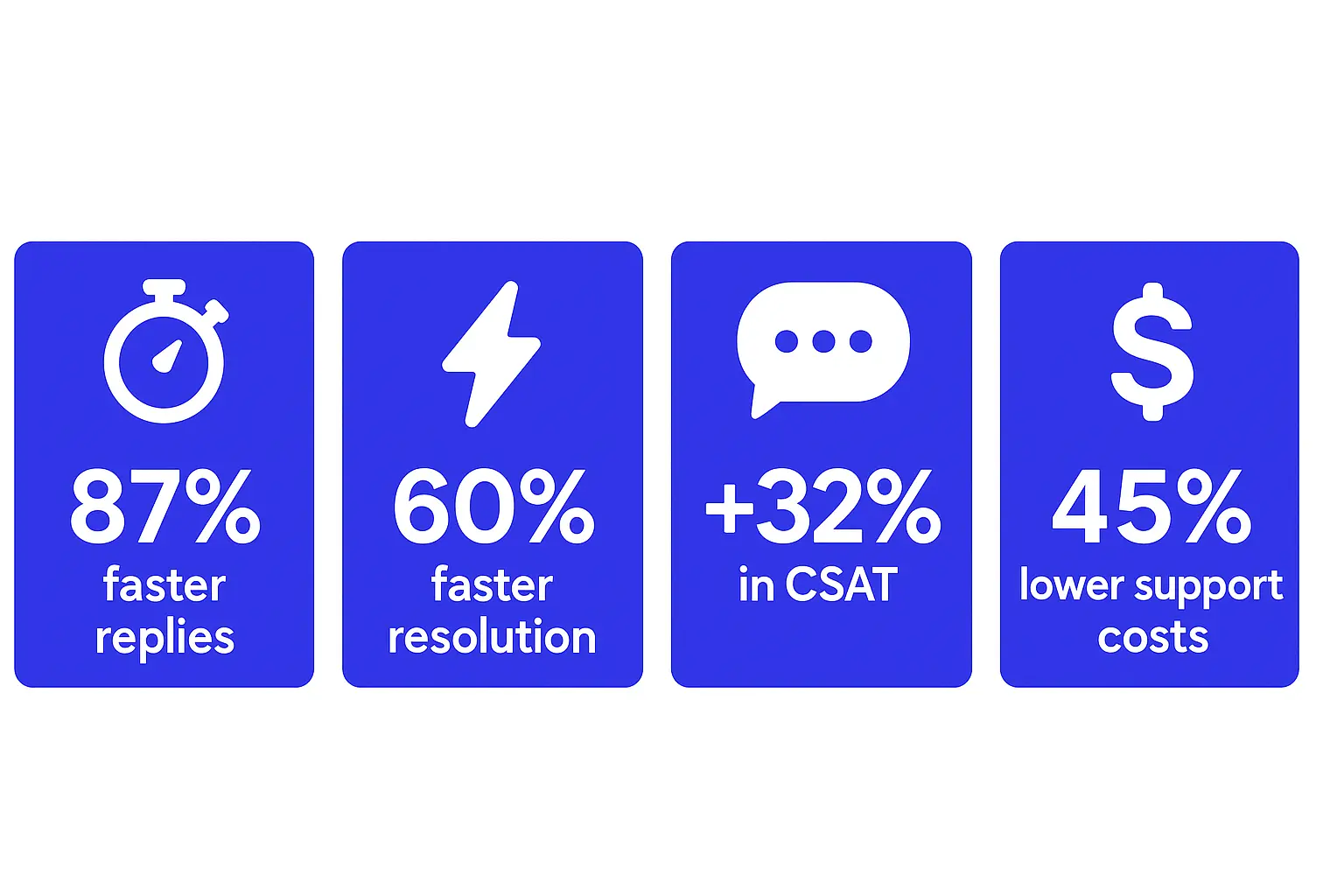
- Customers get faster responses (no more 2-day delays for tracking numbers). A brand using automated ticket routing and chatbots cut its first reply time by 87%. That’s like going from “We’ll get back to you soon” to “Already done.” (Sprinklr, 2024)
- Your resolution time shrinks from glacial to instant. Companies using AI-powered chatbots and ticket routing tools resolve repetitive tickets 60% faster (Dialpad, 2023).
- Customer satisfaction climbs because getting quick, accurate answers actually makes people happy. (Shocking, we know.) One brand boosted CSAT from 51% to 83% after automating its customer support processes. (Sprinklr, 2024)
- And yes - it saves money. McKinsey estimates that generative AI and automation can cut customer support costs by up to 45% without compromising quality. That’s not just efficiency, that’s margin magic. (McKinsey, 2023)
💡 Success story: Online pharmacy Pilulka integrated AMIO’s chatbot into their e-shop and instantly deflected thousands of repetitive inquiries. From prescription questions to delivery times, automation now handles over 70% of conversations before a human even needs to step in. Read the full case study →
The Right Tools for Customer Service Automation
So, what does customer support automation actually look like in action?
It’s not just one tool, but a mix of technologies that work together to handle everything from simple questions to ticket triage. Today’s best tools go beyond simple bots. They mix AI agents, virtual agents, and AI-powered analytics to predict needs, speed up replies, and personalize every conversation.
Here’s a look at the key automation tools that make support teams faster, happier, and a lot more scalable.
🤖 AI-powered Chatbots
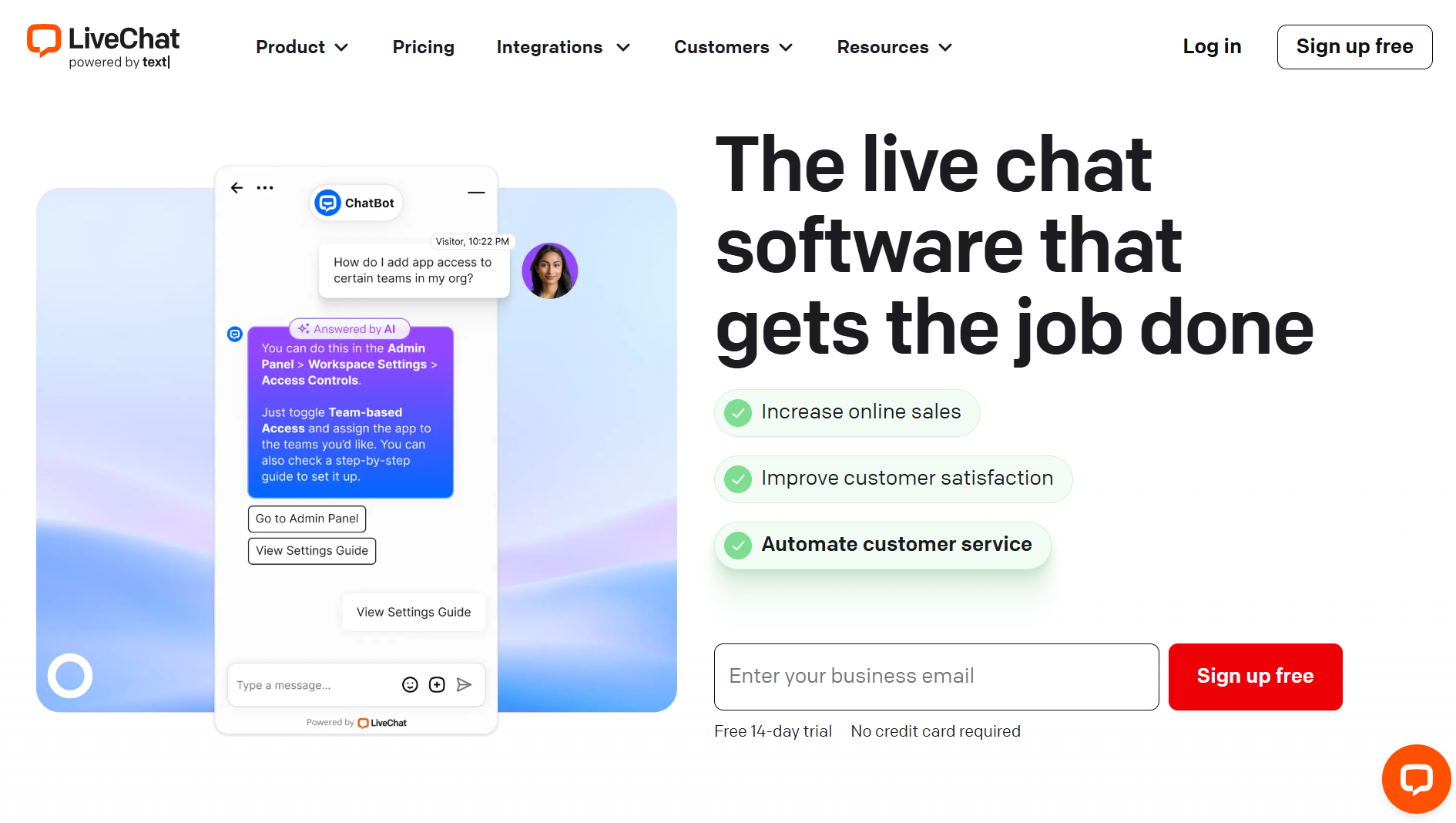
Imagine a support agent who never gets tired, never forgets a script, and answers instantly, even at 3 am. AI-powered chatbots are perfect for handling repetitive tasks like order status, return policies, or store hours. They respond to common questions in real time and free up your team to focus on complex issues.
Need help figuring out which chatbot to use? We compared the top platforms in this 2026 e-commerce chatbot showdown
🔁 Workflow Automation and Automated Ticketing System
Think of this as your behind-the-scenes coordinator. Workflow automation connects your ticketing system, CRM, and communication channels to ensure the right action happens at the right time without human input. Auto-assign incoming tickets. Trigger follow-ups. Escalate complaints. Log customer feedback. All while your team focuses on customer conversations that matter.
Advanced ticket automation and escalation rules can even predict resolution outcomes using predictive analytics.
✉️ Unified inbox for Omnichannel Support
If your team is switching tabs between email, live chat, Instagram DMs, and WhatsApp, there’s a better way. Unified help desk software brings all communication channels into one view, helping agents reply faster and avoid missed messages. This kind of omnichannel automation also makes it easier to personalize support, track customer history, and respond consistently.
📞 Smart IVR (interactive voice response)
Not your grandma’s phone tree. Today’s interactive voice response systems use natural language processing to actually understand what customers want. They route calls to the right agent (or bot), offer self-service options, and reduce both wait times and operational costs. It’s one of the most underrated tools for customer service automation. Especially for teams dealing with high ticket volumes or urgent phone requests.
What to Automate First
Customer service automation isn’t all-or-nothing. You don’t have to hand over your helpdesk to a robot army. You wouldn’t ask a chatbot to handle a furious VIP customer demanding a refund, “and your personal apology.” But you should let it handle the fifty people asking, “Where’s my order?” while your team tackles the humans-only stuff.
✅ Start with Repetitive and Rule-Based Tasks
These are the customer inquiries that show up like clockwork every. single. day.
- Common questions like “What’s your return policy?” or “Do you ship to Sweden?”
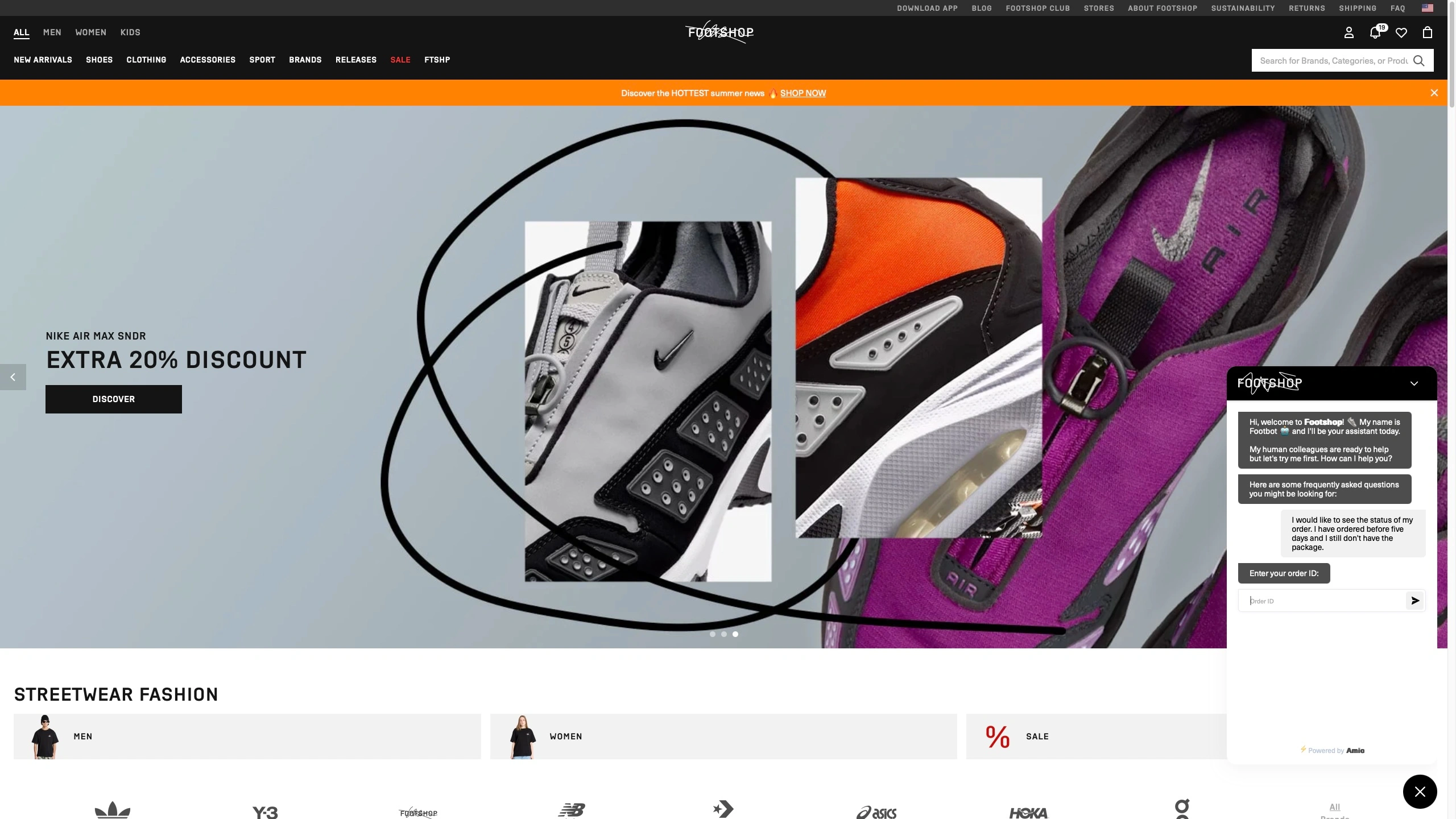
- Order status updates (“Has my package left the warehouse yet?”)
- Business hours and contact info
- FAQs that haven’t changed since 2019
They’re predictable, boring, and frankly, beneath your brilliant customer support team. Perfect for AI-powered chatbots, automated responses, or self-service portals.
🧠 Prioritize High-Impact Customer Inquiries
You don’t need to automate everything on day one. Start with the repetitive tasks. Automate a few common questions, see what happens, and scale from there. That’s the beauty of workflow automation. You can build it like LEGO, not like a rocket.
Common Automation Mistakes to Avoid
Automating customer service sounds great in theory. Less manual work! Faster replies! Happier teams! But in reality? Too many e-commerce brands still fall into the same traps. Automation is powerful, but like seasoning, too much in the wrong place can ruin the dish. Here’s how to avoid turning your support into a soulless robot army:
❌ Mistake 1: Automating the wrong tasks (and pissing off your best customers)
Sure, automation is amazing for routine tasks. You know, the classic “Where’s my order?” or “Can I return this?” kind of stuff. But too often, companies rush to automate everything, even complex issues like complaints, refunds, or damaged shipments. The result? A robotic customer journey that makes customers feel like they’re yelling into the void.
Here’s what to do instead:
Automate the repetitive tasks that don’t need a brain or empathy. Leave the human interactions for moments that involve frustration, nuance, or emotions.
❌ Mistake 2: Forgetting the “service” in customer service
When was the last time a customer said, “Wow, that robotic-sounding email really made my day”? Too many brands implement automation tools that reply fast but forget to reply well.
Whether it’s email responses, chat replies, or automated workflows, your tone still matters. A cold, templated message may check the “response time” box, but it won’t build customer relationships or improve your customer satisfaction score.
Here’s what to do instead:
Train your bots like you train your people. Use AI-powered chatbots like AMIO to make answers feel like a real conversation, not a script.
Want to make sure your chatbot is helping, not hurting? Here are 10 common chatbot mistakes to avoid — and how to fix them before they cost you customer trust.
❌ Mistake 3: Poor Integrations with Help Desk Software
Think of your automation like a new team member. If they don’t talk to the rest of your stack (CRM, knowledge base, order system), they’re basically useless. Yet many brands still use tools that don’t sync. When your AI customer service system can’t access CRM data or help desk software, you lose the full picture of your customer interactions and automation breaks down fast.
Here’s what to do instead:
Choose automation solutions that offer strong integrations and map your entire customer service process before you plug anything in.
Want to automate the right way (and skip these rookie mistakes)?
👉 Book a demo with AMIO, and we’ll walk you through it
How to Implement Automation Step by Step
So you’re ready to automate your customer service. Congrats! Now, how do you start without triggering a full-blown support meltdown?
Good news: you don’t need a PhD in robotic process automation. Just follow this four-step plan that’s already saved dozens of customer support teams from chaos — and turned “help, our inbox is on fire” into “we’ve got this”.
Step 1: Audit Your Support Tickets (yes, actually read them)
Before you automate anything, know what you’re dealing with. Skim 100 recent tickets. Notice the patterns. How many are routine tasks or simple support requests like: “Where’s my order?”, “What’s your return window?”, “Do you ship to Norway?”.
If your inbox looks like a broken record of status updates, you’ve found gold: tasks that customer service automation tools can handle in their sleep.
Step 2: Choose the Right Tasks to Automate, Not All the Tasks
Now that you’ve identified repetitive tasks, pick one or two to automate first. Don’t try to “automate the entire customer journey” on day one. That’s how bots end up giving refund advice when someone just wants a size chart.
Start with customer interactions that don’t require escalation or judgment - things like:
- Automated responses for routine inquiries
- Smart routing based on topic
- Instant answers from your knowledge base
It’s automation, not demolition. Start with a screwdriver, not a wrecking ball.
Step 3: Pick Tools That Fit Your Tech Stack (Not the Flashiest Ones)
Not all automation tools are created equal. You want something that integrates smoothly with your customer service software, plays nice with your CRM, and doesn’t require sacrificing your whole weekend to set it up. Look for platforms that offer:
- Workflow automation (so tickets assign and update themselves)
- Seamless integration with your existing stack
- Smart triggers based on customer intent, not just keywords
The best platforms use AI tools and automation software that connect seamlessly with CRMs, ecommerce data, and help desk software.
Spoiler alert: That’s literally what AMIO was built for.
Step 4: Test It Like a Customer (Because They Definitely Will)
Here’s the honest truth: your first setup won’t be perfect. Maybe your AI-powered chatbot misunderstands “cancel my order” as “cancel my life” (yikes). Maybe ticket routing sends feedback to finance.
Before you roll it out across your entire customer journey, test your automation in the wild. Pretend you’re a customer. Try to trigger the chatbot, ask a confusing question, or escalate an issue.
Is the automated system offering helpful responses? Are the automated workflows working? Is a fallback to a human smooth? Make sure your customer experiences doesn’t take a hit just because you introduced automation. A successful automation strategy isn’t a one-and-done project. It’s an ongoing process of improvement.
You Don’t Have to Choose Between Efficiency and Empathy
Okay, deep breath. We’ve covered a lot, and if you’re still here, that means you’re serious about taking your customer service to the next level. This isn’t just about bots and triggers and automation rules. It’s about freeing up your human agents, delivering faster resolutions, and making your customers feel like they’re being heard even when no one’s typing on the other end. So let’s wrap it up and turn all this talk into action.
- Automate the routine tasks: things like order status, return policies, shipping info, and other common questions that don’t require a human to say, “Oh no, we’re really sorry about that.”
- Keep your human agents where they matter most: resolving complex issues, building customer relationships, and handling those late-night “I ordered the wrong thing and now I’m spiraling” conversations.
- Use tools that actually help: From AI-powered chatbots to workflow automation, your stack should work together to create a seamless, scalable, and yes, even delightful customer experience.
- Don’t overdo it: Customer experience automation is most powerful when it feels effortless, not robotic. The goal isn’t to remove the “human.” It’s to make sure your humans are spending their time where it counts.
It’s not about replacing all human agents. It’s about making sure they’re not buried under 500 versions of “Where’s my package?” Because the best kind of customer experience automation doesn’t feel like automation at all.
The real win is when customer experience automation drives both satisfaction and customer loyalty not by replacing humans, but by letting them do more meaningful work.
And if you’re thinking, “Okay, but how do I actually make this work for my team?”, well… that’s where we come in.
Don’t Know How to Start? We Do.
You don’t need to hire a team of consultants, rebuild your support stack from scratch, or meditate in a forest to figure out your automation strategy. You just need AMIO. The customer service automation platform that helps you go from “where do I start?” to “why didn’t we do this sooner?”
Here’s what you get with us (no jargon, we promise):
- ✅ A real-time chat widget that understands what customers want thanks to AI, natural language understanding, and intent detection
- ✅ Smart workflows that assign tickets, send updates, and call in humans when it matters
- ✅ Answers pulled instantly from your knowledge base before your agents even blink
- ✅ Seamless integrations with your existing e-shop tools (we’re talking Shopify, Zendesk, you name it)
And yes, real humans on our team who’ll help you launch, optimize, and keep things running smoothly. Because automation shouldn’t feel like rocket science.
👉 Book a demo and see how AMIO can help you turn repetitive support chaos into consistent, scalable service.
Table of Contents
Start building AI chatbots with Amio.
Book a 30-minute session where we will find out how AI bot can help you decrease call center costs, increase online conversion, and improve customer experience.
Book a demoWhat is Amio?
We understand your business on
Book a 30-min consultation session where we will discuss your support cost optimization potential, experience improvements, including our online conversion increase techniques
Request a demo