
Necessary cookies help make a website usable by enabling basic functions like page navigation and access to secure areas of the website. The website cannot function properly without these cookies.
Zendesk Chatbot: Build and Integrate an AI Chatbot
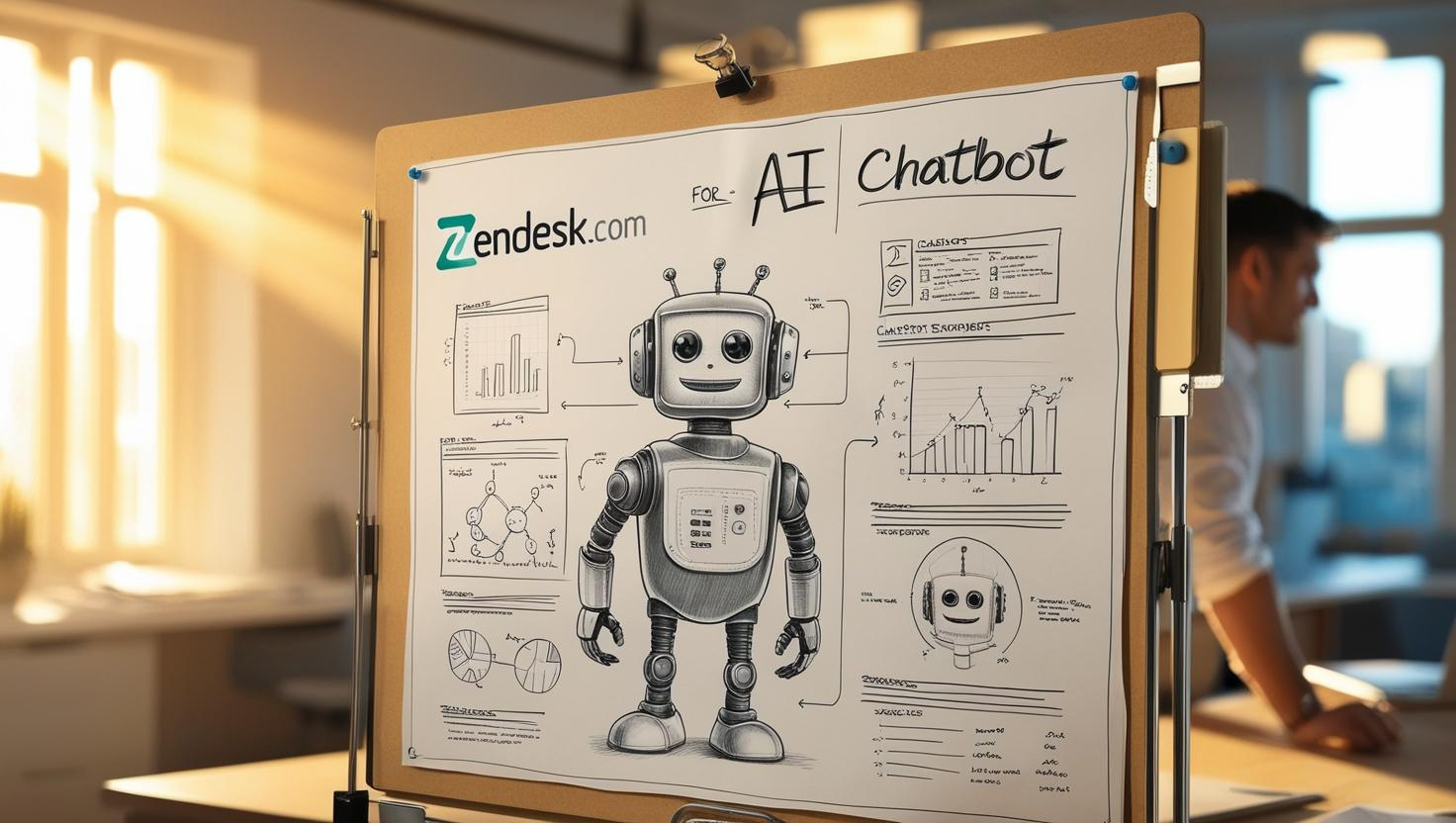
Chatbots are transforming customer service by automating interactions and providing instant support. They were initially limited to scripted responses. But current advancements in AI enable chatbots to understand and handle complex questions as human agents would do—often even better.
When considering an AI-powered chatbot for your Zendesk chat, you have several options:
- Zendesk's Answer Bot / Zendesk AI: While Zendesk integrates OpenAI's ChatGPT for basic AI capabilities in Zendesk chat, it takes a 'one-size-fits-all' approach, limiting advanced customization, the ability to handle complex interactions, support for custom AI knowledge bases, and multi-channel flexibility.
- Third-Party Solutions: When you’re serious about AI, a third-party solution tailored to your industry might be a better choice due to its flexibility, advanced customization, and integrations with the business systems you already use.
Must-Have Features for a Chatbot in Zendesk Chat
Regardless of the provider, it’s crucial to evaluate whether the chatbot solution includes the following capabilities and key features to avoid future headaches when switching later (check our article on choosing the right chatbot platform for further details):
- AI / ChatGPT: Look for compatibility with the latest GPT versions.
- AI Behavior: The ability to adjust the tone of voice and copy-write to maintain brand consistency.
- Predefined Conversational Blocks: Chatbot builder with ready-to-use answers for queries like "Where is my order?" or "I want to change my order." Natural language processing (NLP) and API support for integrations are also key.
- Custom AI Knowledge Base: Ensures the chatbot platform enables you to upload your products (XML feeds), FAQs, terms of service (URL scraping), and other business-specific data (PDFs, etc.).
- Channel Support: Check if the chatbot works across all necessary platforms, such as webchat, mobile chat, WhatsApp, etc.
- Language Support: Ensure the solution supports all the languages your business operates in."
In this article, I’ll show you how to build an AI-powered chatbot with all the key features above in 8 simple steps.
We’re showcasing the Amio Zendesk AI chatbot integration not just because it’s our livelihood, but because we believe in making complex AI accessible—delivering all the advanced features, great results, exceptional customer experience, and no need for technical expertise.
8 Steps to Build a Zendesk AI Chatbot
Here’s a step-by-step guide to building and integrating an AI chatbot into Zendesk Chat.
Step #1 - Create an Amio Account
Start by signing up for an account at Amio.
Step #2 - Build the First Version of Your Chatbot
Begin with a template bot in your preferred language—for instance, select an e-commerce template in English.
- Enable the automated answers you want to use.
- Customize the responses to match your company’s tone and specific needs.
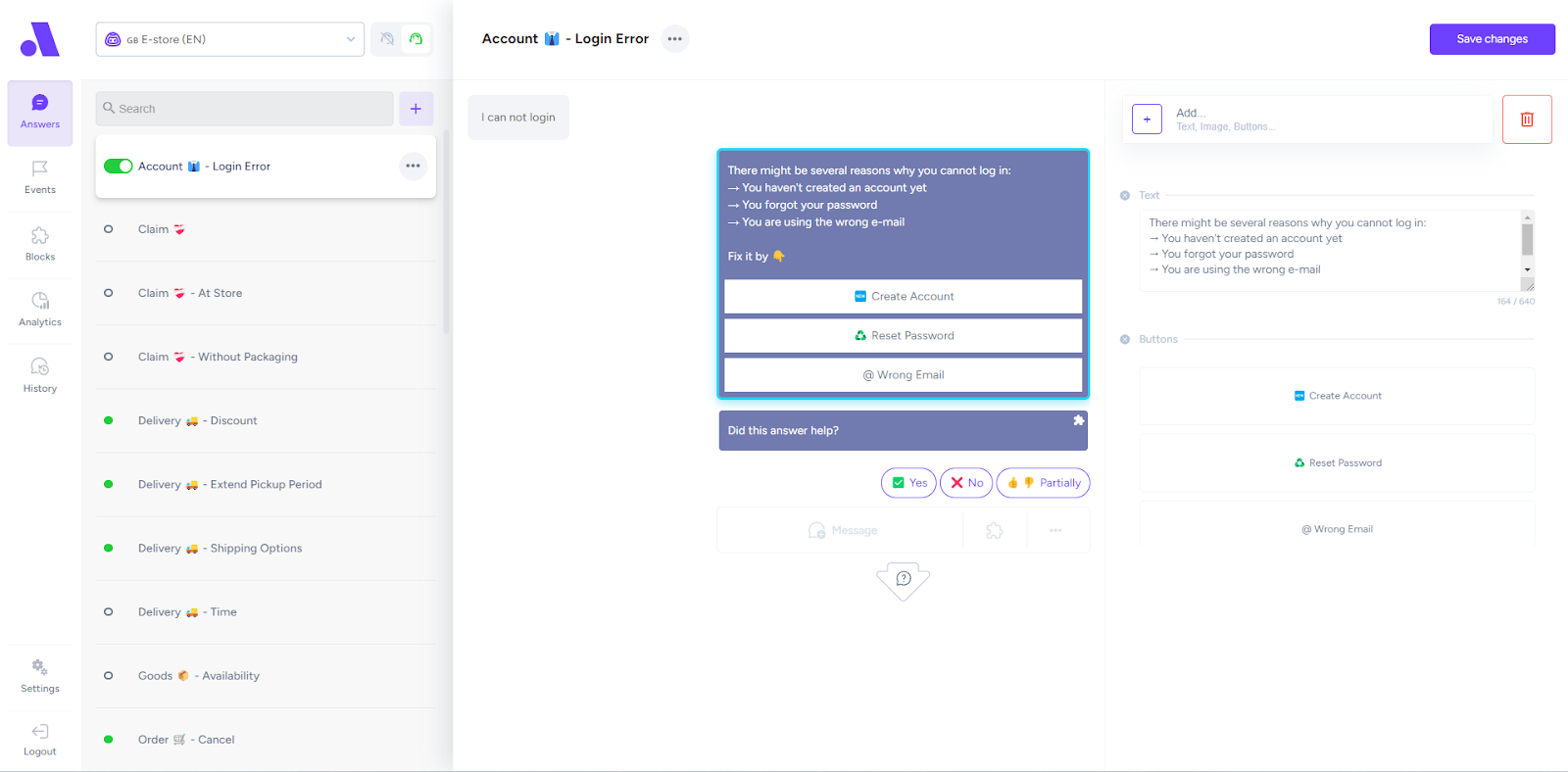
This step helps automate basic repetitive tasks for your support team. To elevate the conversational experience, we’ll upgrade it to an AI-powered bot using ChatGPT.
Step #3 - Add ChatGPT
For all questions not handled by the predefined answers from the previous step, let GPT step in. In your chatbot’s “unknown” answer, enable support for GPT—it should already be pre-configured in the template bot. Adjust the prompt to suit your needs. Think carefully about how and what the AI should respond to align with your brand’s tone and business goals.
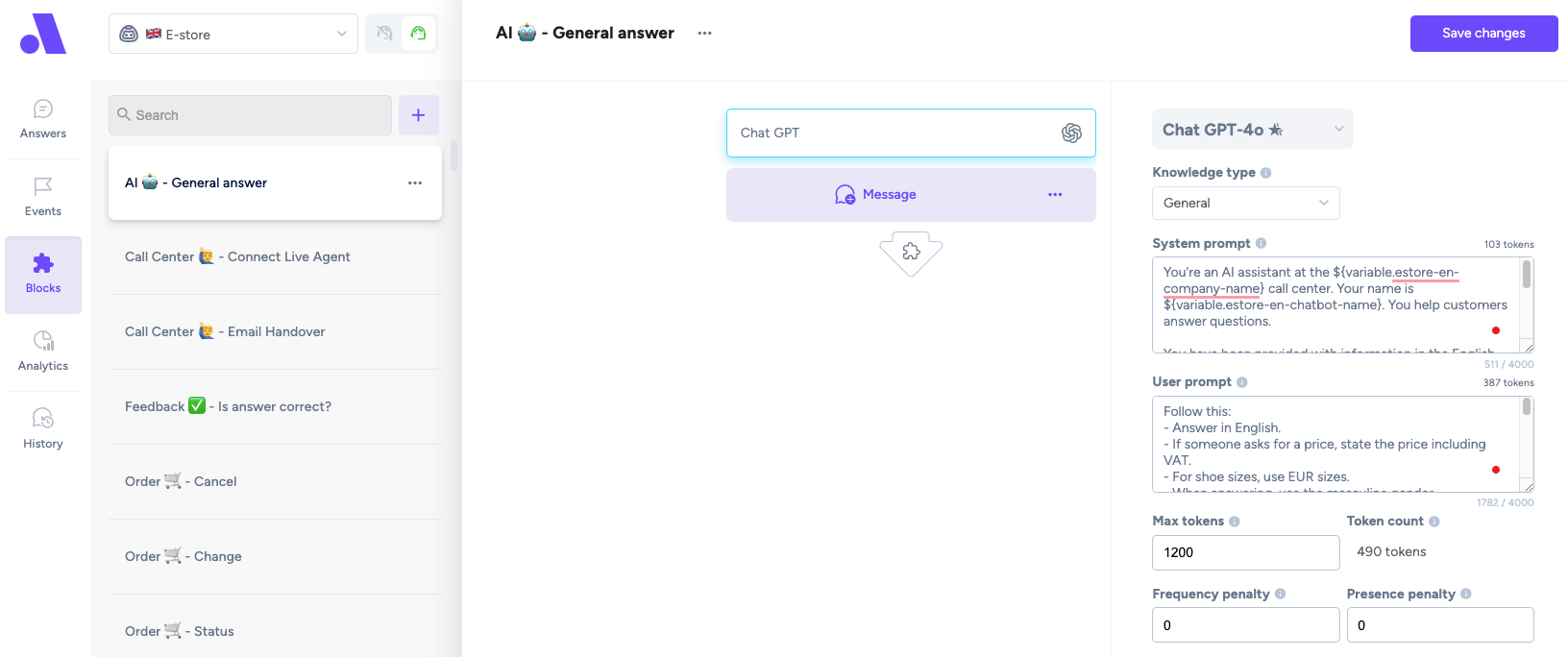
You can also let GPT use your custom knowledge:
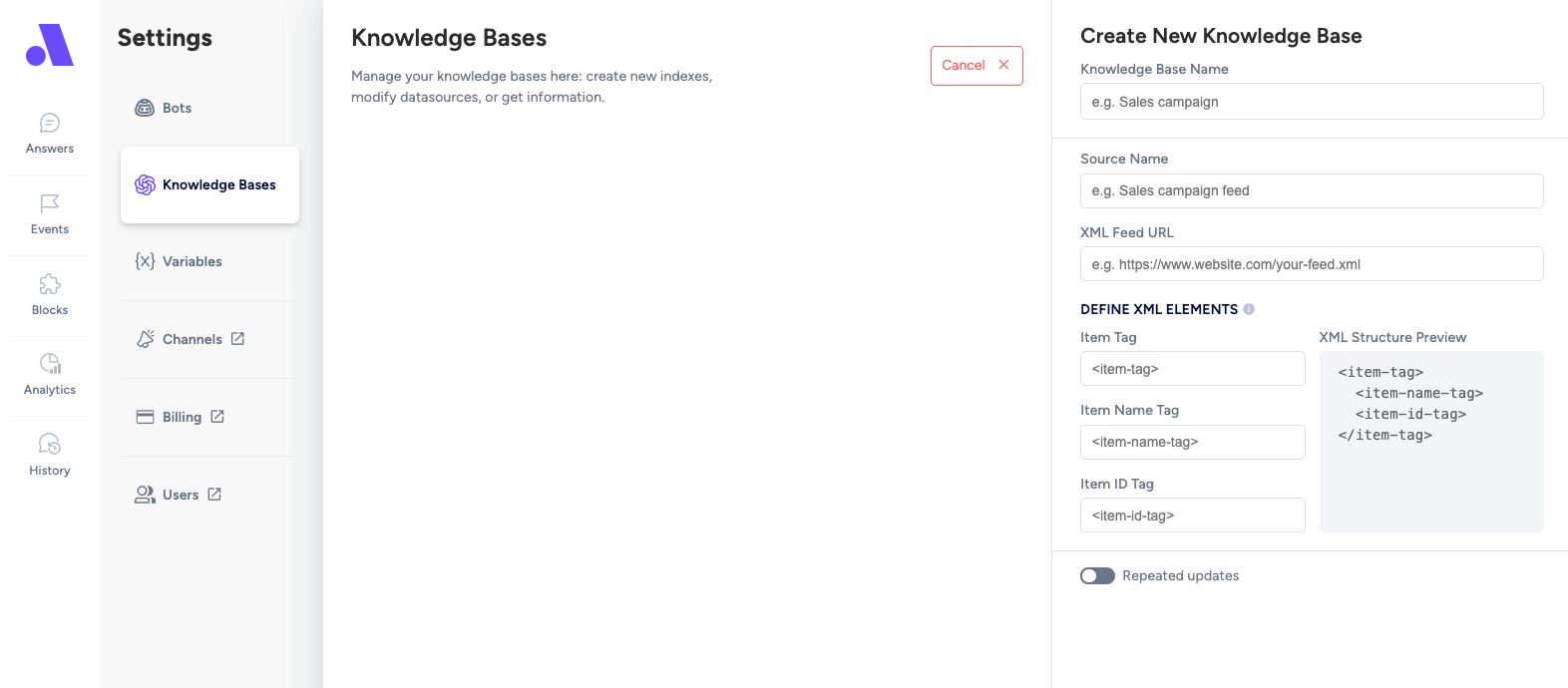
- Go to Settings > Knowledge and click Add +.
- Upload your product feeds, PDFs, or static pages.
- Don't forget to set your new knowledge base in the unknown answer.
This will help the AI provide accurate and relevant answers based on your company’s data.
Step #4 - Choose Your Chatbot Channel
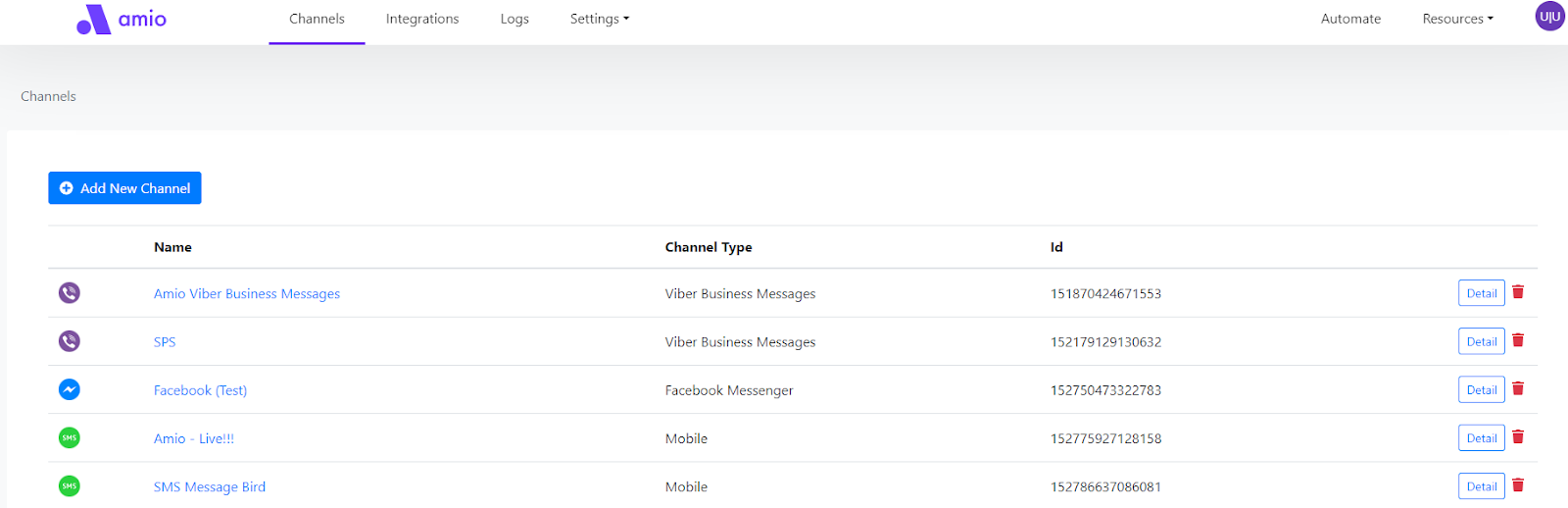
Whether you want to upgrade Zendesk Chat with an AI chatbot or automatically answer customer questions in messengers, the choice is yours. Right now, your chatbot is bound to a webchat, but you can easily run it on other platforms like Facebook Messenger, Viber, WhatsApp, Telegram, or In-app Mobile Chat (for your mobile device app).
To expand to new channels:
- Go to Settings > Channels and add your preferred platforms.
Step #5 - Connect Amio to Zendesk Chat
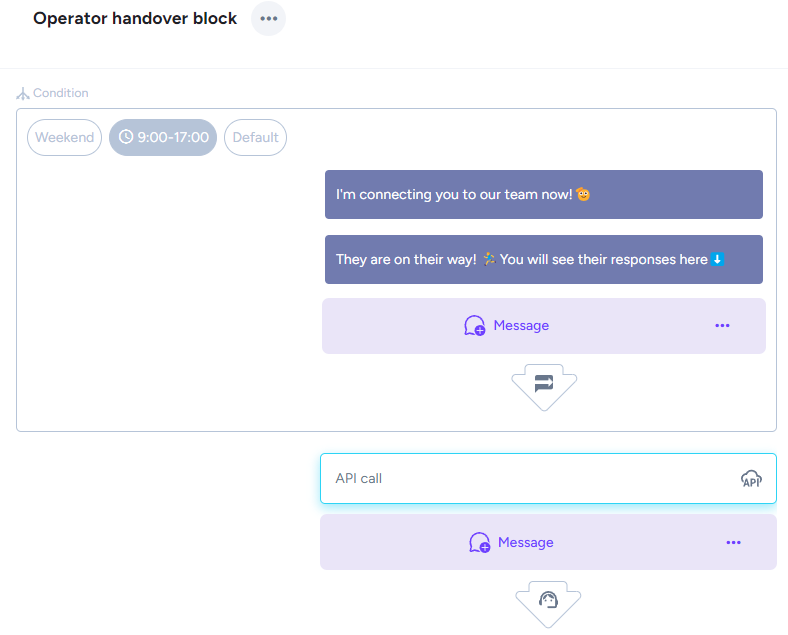
Connecting Amio to Zendesk chat ensures your live agents can continue using the customer service tool they are familiar with. When a customer inquiry requires human intervention, the chatbot hands over the conversation to an agent.
Here are a few handover options to consider:
- Fallback to Email: The chatbot collects the customer’s email address and creates a Zendesk ticket for follow-up. This might be an option to improve agent productivity as the chatbot aims to automate ~90 % of incoming chats.
- Fallback to Other Channels: Redirect conversations to channels like WhatsApp or Messenger.
- Live Handover: Enable real-time chat handover to human agents.
- Off-Hours Support: Configure the bot to avoid live handovers outside business hours. Instead, use fallback methods like email to ensure inquiries are addressed promptly.
Step #6 - Test Your Chatbot
Before going live, test your chatbot to ensure everything works as expected.
Here’s what to check:
- Predefined Answers: Verify that common questions (understood by natural language processing not AI) are answered correctly based on your customizations.
- AI Responses: Test the “unknown” answer to see how well GPT handles untrained queries.
- Knowledge Base: Confirm that the chatbot uses your custom knowledge correctly.
- Zendesk Handover: Simulate scenarios to check handovers to live agents or fallback methods.
Run multiple test cases to identify any gaps or misconfigurations. Adjust as needed to make your chatbot reliable and ready for real-world use.
Step #7 - Deploy
If you’re replacing Zendesk Chat with your new chatbot on your website, the simplest way is to use Google Tag Manager and the Amio template to make it live. Follow our detailed guide here: Embed Amio Web Chat with GTM.
Alternatively, you can use plain JavaScript to embed the chatbot directly into your site.
For connecting other messaging channels like WhatsApp or Facebook Messenger, if you encounter any issues, don’t hesitate to reach out to our support team.
Step #8 - Monitor and Improve
Once your conversation bot is live, the work doesn’t stop. Regular monitoring and updates are key to maintaining an effective customer service tool.
- Analyze Performance: Review chatbot metrics, such as response accuracy, resolution rates, and customer satisfaction scores.
- Optimize Answers: Update predefined responses and prompts based on customer interactions and feedback.
- Expand Knowledge: Add new data to the knowledge base as your business grows or changes.
- Enhance AI Capabilities: Regularly check for updates in AI technology and integrate them to keep your bot cutting-edge. We add one new AI feature each month on average. 😉
Expectations
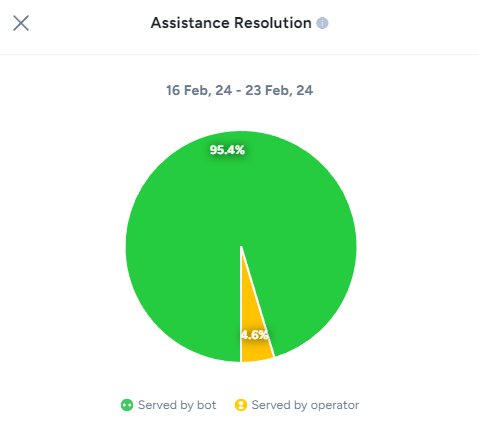
85 - 95 % Automation rate
If your AI chatbot isn’t reaching this automation target, there are most likely some areas that need improvement to decrease operational costs.
Common issues include:
- Gaps in Automated Answers: Review and expand the predefined conversational blocks to cover more complex queries.
- Unsupported Scenarios: Identify recurring questions that the bot isn’t handling well and update its capabilities accordingly.
- Customer Dissatisfaction with Particular Answers: Identify and refine responses that fail to meet customer expectations, ensuring they are accurate, relevant, and aligned with your brand tone.
- Insufficient Knowledge Base: Ensure the chatbot has access to all relevant company data, like FAQs, product details, and policies.
- Unoptimized AI Prompts: Adjust the GPT prompt to guide the bot’s responses more effectively.
1.5–3x Increased Conversion Rate
If your goal is to enhance Zendesk Chat with a sales assistant, the chatbot should drive higher online conversion rates for customers who engage with the chatbot compared to non-guided customers.
Learn more in our blog post: How to Increase Conversion Rate with Chatbot.
24/7 Support with Fast Replies
Your chatbot ensures excellent customer service by providing instant, round-the-clock responses. This not only improves the customer support experience but also increases customer engagement by being available whenever your customers need assistance.
For further reading on this topic, check our blog post about customer experience with self-service.
Conclusion
Going with a third-party chatbot means you’re not locked in—giving you the freedom to switch customer service software down the road without a headache. Plus, you’ll get more key features and better value from the AI, making your annual cost savings higher.
If you’re ready to give it a shot, head over to Amio. Whether it’s a demo, a free trial, or just a quick chat, we’re here to help!
Table of Contents
Start building AI chatbots with Amio.
Book a 30-minute session where we will find out how AI bot can help you decrease call center costs, increase online conversion, and improve customer experience.
Book a demoWhat is Amio?
We understand your business on
Book a 30-min consultation session where we will discuss your support cost optimization potential, experience improvements, including our online conversion increase techniques
Request a demo